Product Demo vs Explainer Video: Which One Does Your Product Need?
When you have the budget ready for a product video, the last thing you want to do is spend it on a format that leaves buyers asking all the same questions they had before.
At Motion, we've produced 512+ explainer videos and hundreds of product demos for SaaS and technology brands.
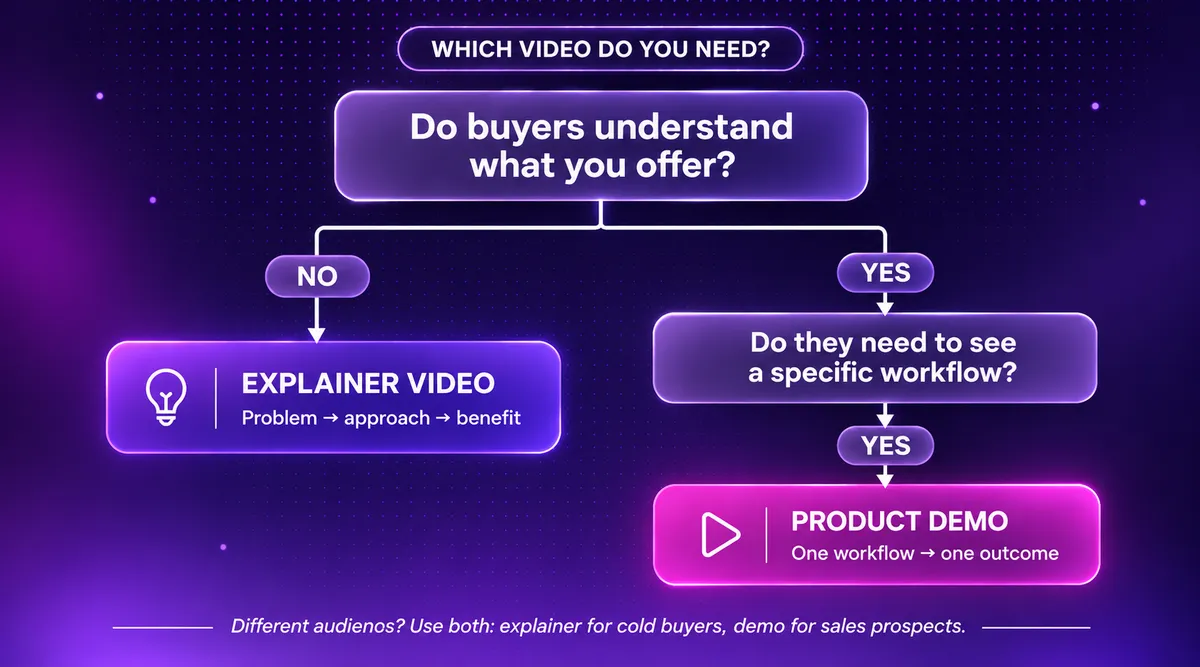
If you don’t know whether to make a product demo video or an explainer video, here’s the answer in a nutshell:
You should choose an explainer video when your product or proposition needs context and buyers don’t yet understand the problem you solve.
Product demo videos are for when buyers already have a pretty good idea of what you offer, but they need to see the solution working on a task they would recognize.
I think it’s helpful for us to go over the buying situations where each format fits, as well as what each video really shows the viewer.
In some cases, one video can do both jobs. We’ll get into that too.
Product Demo vs Explainer Video: What Are You Really Buying?
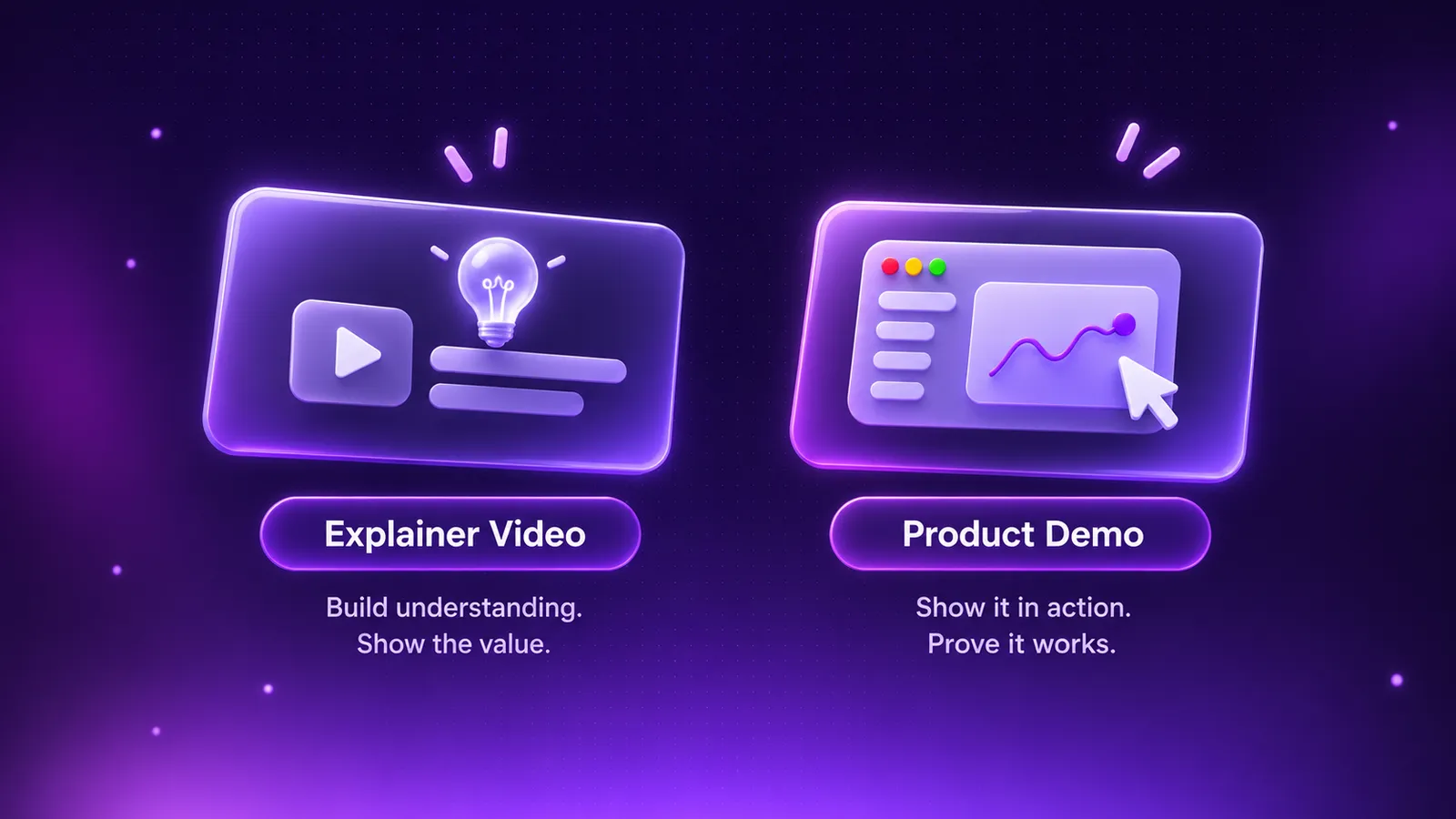
While an explainer video introduces what your product does and why it deserves attention, a product demo video is supposed to solve a recognizable problem.
A product demo video brings relevant features and workflows to the very forefront of the viewer’s mind.
If we take an expense management platform for finance teams as an example product…
Explainer Video Concept
An explainer video is a short video that introduces a product or service, explaining what it does and why it matters without going into every feature.
The explainer video could open with a familiar pain point for finance teams, like chasing missing receipts at month-end.
Introducing the idea behind the product, it might explain that approvals are checked against company policy automatically.
The video could then end on the benefit of closing the books days sooner.
You could have the interface appear on screen for a few seconds to make the idea concrete.
Product Demo Video Concept
A product demo video shows how a product works, focusing on its features and how someone would use them in practice.
Let’s say the video opens on a manager with 40 claims waiting for approval.
We show a receipt being uploaded, matched to policy, an out-of-policy claim being flagged, and the rest approved in one click…
This is showing the viewer exactly how their own month-end would run if they adopted the expense management platform.
A product demo video can use animated, stylized UI.
It doesn’t necessarily need to show the interface itself through a screen recording.
An explainer can still show the interface, but what separates the two formats is the job each one does.
In terms of what we’ve been working on here at Motion, explainers make up 53% of all the videos we’ve produced.
This makes sense because our clients’ first challenge is usually getting buyers to understand their offer.
Choose An Explainer When Buyers Don't Yet Understand The Offer
If potential users are already familiar with your brand but still struggle to understand what your product does or how it applies to them, you could likely benefit from having an explainer video on hand and ready to show people.
This is why explainer videos can be particularly useful during the middle of the marketing funnel (MOFU), when buyers know about your product but still need help understanding its value.
We don't recommend showing UI screens too early.
That's a common mistake made by a lot of companies.
Why should a buyer care which button does what when they don't know the problem you solve?
You should dedicate the running time of an explainer video to:
- Framing the problem in the buyer's own terms.
- Covering your approach and why it's different from what they do today.
- Stating the benefit as an outcome they want.
Unless shots of the UI help those three points land, they're not needed.
How We Introduced A Category Buyers Hadn't Heard Of
GieniABX was building autonomous business execution.
This is a new AI category that pairs automation with human approval and control.
A feature walkthrough would have explained the how before anyone understood the what.
For this reason, explainer videos were needed.
Buyers didn’t have a mental model for autonomous business execution yet, so a product demo video wouldn’t have been a good fit at this stage.
Our studio team delivered 14 videos in six weeks as part of a fixed-price project.
The videos ran mainly as paid ads, supported by organic social and GieniABX's learning platform.
With 210,000+ website visits and over 14 million cumulative YouTube views, the videos became central to GieniABX’s push to educate buyers on autonomous business execution.
Looking across our explainer portfolio work as a whole, our videos have generated more than 2.5 million views.
If your biggest obstacle right now is that buyers don’t really understand your proposition, you should start with an explainer.
Product demo videos can come later, once they’re ready to understand how the product works.
Choose A Product Demo When Buyers Need To See It
Here’s a very different situation…
You have prospects who understand the promise of what you’re offering, but they want to know how your product would handle their work.
This is typically where a product demo video fits into the bottom of the marketing funnel (BOFU).
At this stage, buyers already know they need a solution. What they're trying to figure out is how your product would work for them and whether it's the right choice.
We know that’s the job of a product demo video.
Great, we’ve established this.
The next important decision is which workflow to show them.
I would generally avoid trying to show them a dozen different features.
You want to keep this video focused on one relevant workflow that solves a specific problem and answers the buyer’s biggest doubt.
What do I mean?
Well, let’s say the prospects are worried about the setup.
In that instance, I’d show them the onboarding process.
A good product demo video is entirely outcome-oriented and not focused on showing the viewer as many features as possible.
There usually isn’t time, anyway.
You want to keep these videos short and sweet for maximum engagement.
A study of 757 YouTube product video ads from six technology brands found that viewer approval rose with the number of creative strategies used, peaked at around three, and then declined.
While it measured approval rather than sales, I think this supports keeping each demo focused.
We've brought 90+ products to life through demo videos.
Across selected campaigns, our product demos have delivered a 35%+ average increase in product engagement.
Where Do Product Demo Videos Earn Their Place?
Our clients typically use product demo videos in a multitude of ways to squeeze as much value from the content as possible.
The videos can be found on product pages (where visitors already know the category) and in targeted campaigns.
Those campaigns are usually aimed at people who already use a similar product.
Product demo videos are also very handy in sales follow-ups, so a champion can show colleagues what they saw on the call.
Should You Use Screen Capture Or An Animated UI?
If the interface is finished and the workflow is relatively short, a clean screen recording is just fine.
With that said, a reconstructed or animated UI is often clearer when the interface is cluttered and the product is still changing.
The last thing you want is to present a product demo video with an outdated interface.
You need these video assets to be reasonably evergreen.
This is something we think about when conceptualizing videos.
We want you to have usable videos that last well beyond your next UI update.
What Changes The Quote & The Production Schedule?
The work behind any quote covers the same set of stages:
- Messaging
- Scripting
- Illustration
- UI recreation
- Animation
- Sound
- Revisions
For an explainer, the most intensive work is usually in the messaging and illustration.
With these types of videos, you’ll need to supply the studio team with your positioning, audience, brand assets, and the key points the video must land.
And then for a demo video, the heavy lifting is usually in the UI accuracy . For this, you’ll need to share the workflow, along with screen recordings.
Sometimes, the motion designers will want to have access to the product, so they can get a feel for the UI and understand how a user gets from A to B in a workflow.
With two rounds of revisions included across the board, these are our project packages:
We should note that voiceover, reformatting for vertical and square platforms, and cut-down versions are all priced separately.
These would require a custom quote from our team.
You can take a look at the full details on our fixed project pricing page .
What Happens If The Product Isn’t Finished Yet?
When there’s a product launch looming, deadlines for the video content are often set before the interface is finalized.
We had this experience with Mirakl .
Much of our work with them was tied to event launches and finished UI screens weren’t available for our designers to reference.
So, we worked with Mirakl's product team to create stylized mock-ups that represented products still in development, while keeping them clear and on-brand.
The visual approach needs to be agreed on, but your product doesn’t need to have a finished interface before video production can get underway.
As product and marketing teams at Mirakl both needed a say, the projects went through 7+ revision rounds.
Changing interfaces and multiple approvers are the two things most likely to move your delivery date.
With this in mind, we recommend agreeing early on who signs off and which screens are locked.
This will help to make sure production work continues on schedule and event deadlines are met.
How To Compare Quotes
Looking at the pricing alone isn’t going to tell you much. You need to go a layer deeper and check to see what each quote is really going to include.
I recommend checking:
- The length and number of versions you can expect.
- How many revision rounds are allowed and at which stage.
- Whether sound design and voiceover are included.
- If you receive source files and commercial rights at the end.
Even with studios offering fixed project pricing, some of these details may be missing from their pricing pages and will need clarification.
Do You Need Two Videos? Or Can One Do Both?
Separate videos tend to make more sense when audiences need different levels of detail.
For instance, a cold paid-social audience might need the explainer's context, whereas a prospect on a sales call would want the depth of a product demo.
But explainer videos and product demos aren't strictly separate from each other.
Sometimes, one video can introduce the problem, explain the solution, and demonstrate how the product works.
If You Can Only Fund One, Start Here…
Think about what's stopping your buyers from moving forward.
- Choose an explainer if they don't understand what your product does or why they need it.
- Choose a product demo if they understand the value but want to see how it works.
- Combine both if they need context and a practical demonstration.
For example, a 90-second video for expense management software could follow this structure:
- 0–20s: Introduce the frustration of chasing receipts.
- 20–40s: Explain how the platform solves the problem.
- 40–75s: Demonstrate a receipt being uploaded and approved.
- 75–90s: Highlight the time saved and invite viewers to book a demo.
One video, two purposes.
And if you plan the production properly, you can repurpose the explainer and demonstration sections into separate clips later.
My advice? Don't get too caught up in the labels. Focus on what your buyers need to know before making a decision.
You can explore our explainer video and product demo video services , or request a free custom sample to see how we'd approach your product before committing.

Sam Jupp
Sam Jupp is the founder of Motion The Agency, with over 11 years of experience in research and marketing. He specializes in leveraging creative animation and motion design to craft compelling brand narratives and writes insightful content on industry trends.

In just a few questions, get a tailored estimate for your next video project.




Contact Us
Ready to elevate your brand? Contact us for your
Free Custom Video Sample