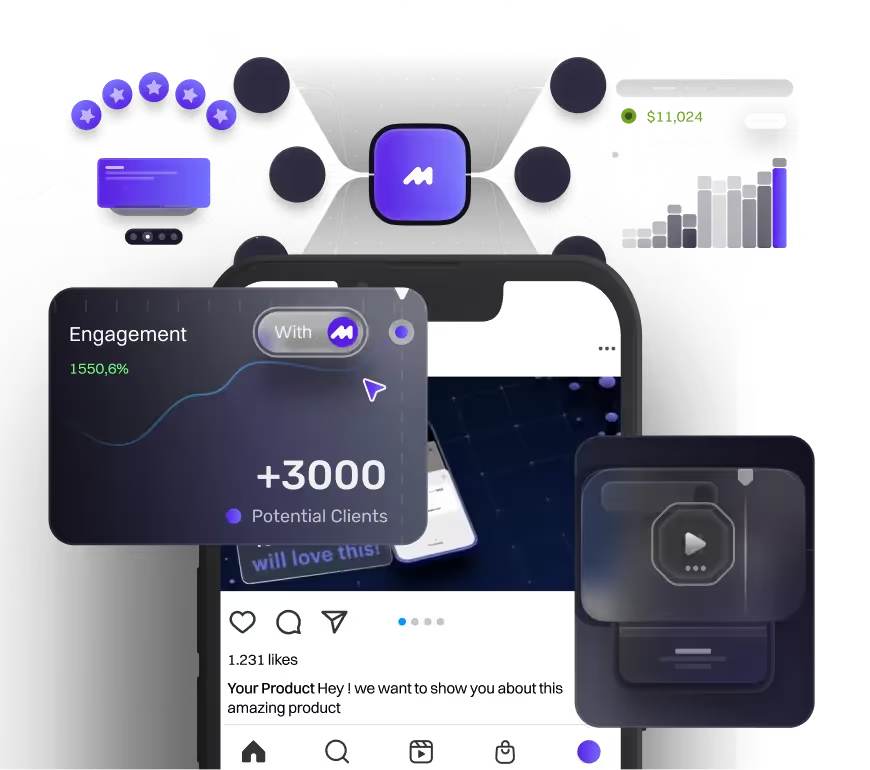
15 Product Demo Video Examples That Convert (With Expert Tips for 2026)

table of content
A product demo video shows potential customers how your product works and why it matters — bridging the gap between a static ad and seeing the real thing in action. Done well, it's one of the most persuasive assets in your marketing toolkit: around 84% of people say they've been convinced to buy something after watching one.
The numbers back this up. Around 72% of people prefer video over text when learning about a product, 89% say product videos help them make buying decisions, and 88% say a brand video has convinced them to purchase. For product demos, that is the real value: removing friction and helping potential customers understand why a product is worth choosing.
But "done well" is the hard part. The difference between a demo that converts and one that gets clicked away in ten seconds usually comes down to a handful of specific choices — pacing, structure, how fast you get to the point, and whether the video solves a real problem or just lists features.
The best way to learn those choices is to see them in action. So we've pulled together 15 of the best product demo video examples from brands like Slack, Notion, Semrush, and Apple — and for each one, we break down exactly why it works and what you can borrow for your own. Let's dive in.
What makes a product demo video great?
So, at Motion The Agency, we’ve noticed that the strongest product demos, based on our experience, don’t start by talking about the product first — they start by talking about the problem.
Before jumping into features or explaining how something works, the best demos first help viewers understand:
- What problem exists
- Who experiences it
- Why solving it matters
Once people understand the problem, the product becomes much easier to understand. By starting with the challenge first, the transition into showing the product feels more natural — instead of simply showing features, you’re showing how the product solves a real problem.
For SaaS products, which make up the majority of our clients, this is especially important because many products can be complex or difficult to explain. Using tools like UI recordings, product walkthroughs, animations, and visual storytelling helps break down complicated workflows and show the product in action in a way that’s easier for audiences to understand.
Whether you call it a product demonstration video or a product demo, the goal is the same: to show the product in action, make the value clear, and help the viewer understand why it matters.
The opening moments are crucial for capturing the viewer's attention. Starting with an engaging hook, like a surprising fact or relatable situation, can draw the audience in. Using visual aids like animations, product screenshots, and live demos can significantly improve how well viewers understand and remember the content.
Keeping the right length and pacing is important for maintaining viewer interest. Successful product demos are typically 2 to 5 minutes long, allowing for a concise and impactful presentation.
That said, there’s no single "right" length. A social-first or top-of-funnel demo often works best under 90 seconds, while a detailed B2B or software demo can run 2 to 5 minutes when the viewer is already engaged and evaluating. Match the length to where your viewer is in their journey, not to a fixed rule.
Finally, ending the video with a clear and compelling call to action (CTA) is vital. The CTA should motivate viewers to take the next step, like signing up for a trial, making a purchase, or checking out more content.
By following these best practices, businesses can create product demo videos that effectively communicate their product's value and drive real results.
15 inspiring product demo video examples to elevate your marketing strategy
1. Bill4Time
Bill4Time is one of our past clients that needed a 2D animated product video for their B2B product, with a strong focus on stylised UI animation. The goal was to show how the software works in a clear and engaging way, without overwhelming the viewer with too much detail.
The video works well because it keeps the message simple, uses clean 2D animation to bring the product features to life, and speaks directly to its target audience: law firms. At around 60 seconds, it also keeps the pace concise enough to hold attention while still showing the key benefits of the platform.
For a product demo video, this is exactly what matters: clear messaging, relevant visuals, audience-specific content, and a focused length that helps viewers understand the product quickly.
Bill4Time shows that a strong B2B product demo does not need to show everything — it needs focused UI animation that makes the product’s value clear in under 60 seconds.
A strong B2B product demo shows the value, not every feature.
2. Slack
The Slack Canvas product demo video gives an overview of the key features and benefits of the Canvas tool in Slack. The video walks viewers through the Canvas functionality step-by-step. It highlights practical features like tracking action items, requesting approvals, sharing resources, and collaborating with external partners.
The video has an informative and promotional tone, which is typical for an effective product demo. It uses clean 2D animations, screen recordings, and a professional voiceover. This contributes to clear visuals and easy-to-understand explanations of the Canvas features.
This approach aligns with best practices for software demos. The focus is on solving one specific problem, rather than trying to show every feature. This makes the video more memorable and actionable for viewers.
Slack Canvas works as a strong product demo because it focuses on one clear use case: helping teams organise action items, approvals, resources, and collaboration in one shared space.
3. Google Vids
This video about Google Vids is a new app that helps you easily share ideas and make great video content. The video shows off this app using animated images, music, and a simple guide. The images are fun and help explain how to use the app, while the professional look of the video builds trust in the new product.
As we covered above, the best product demos clearly show what a product can do and why it's useful. This video does a great job of doing that by using animation, and demonstrations to explain Google Vids in a clear and interesting way.
Google Vids is noteworthy because it uses simple animation and guided product moments to make a new creative tool feel easy, useful, and trustworthy.
Google Vids is noteworthy because it uses simple animation and guided product moments to make a new creative tool feel easy, useful, and trustworthy.
4. Semrush
The video starts by acknowledging the viewer's goal of improving their business's online visibility, establishing a relatable context. It then guides the viewer through how Semrush can help achieve that in a step-by-step manner. The video utilizes a combination of voice-over narration, screen recordings, and motion graphics to create an engaging and informative viewing experience. The narrator's friendly tone and clear explanations make the content easy to follow.
This product demo video works well because it strikes a balance between providing a comprehensive overview of Semrush's capabilities and maintaining an engaging, easy-to-follow presentation.
The video starts by recognizing that viewers want to improve their online visibility, which helps them relate. Then, it explains step-by-step how Semrush can help them achieve that. The video uses voice-over narration, screen recordings, and animations to keep viewers interested and informed. The narrator speaks in a friendly way and explains things clearly, making it easy to understand.
This product demo video is effective because it provides a full overview of what Semrush can do while still being simple and engaging to watch.
Semrush works well because it starts with a clear audience goal, then uses screen recordings, motion graphics, and friendly narration to show the product value step by step.
5. Hoka
The video shows a HOKA representative talking about the shoe's features and benefits, along with their personal experience using the Mach X while training. This is common in product demo videos, where the aim is to highlight important details about the product and explain why it’s a great choice for the intended audience.
The video includes clips of the shoe in action, showing runners wearing and using the Mach X during different activities like workouts and training. The mix of an informed presenter and visual examples makes for an engaging and informative watch.
HOKA Mach X works well because it combines expert product explanation with real training footage, making the shoe’s features feel practical, credible, and easy to trust.
6. Notion
The video shows a complete demonstration of Notion, focusing on its main features and benefits for potential users. It presents Notion as a useful tool for both personal and teamwork. The video includes screen recordings, voice-over explanations, and animations to clearly show what the product can do.
When making a good product demo video, it's important to show the product's main functions through real-life examples. Add clear explanations to the screen recordings that point out the main advantages for the audience. Use visual elements wisely to improve the presentation without taking away from the main message.
Notion works well because it uses real product walkthroughs, clear narration, and simple visuals to show how the tool supports both personal work and team collaboration.
7. ClickUp
The video shows the ClickUp website and a person explaining different features of the tool. These include managing tasks and projects and working with team members. The mix of live footage and demonstrations makes it a good product video for ClickUp. By showing how the tool works in an easy-to-understand way, viewers can see its benefits. Using these helpful strategies can make sure the demo connects with the right audience.
The video gives a quick overview of ClickUp, pointing out its features for managing content, tracking tasks, and coordinating teams.
ClickUp works well because it combines a human presenter with product walkthroughs, making its task management and team collaboration features feel clear, practical, and easy to understand.
8. Salesforce
The video gives a simple overview of the main features and benefits of Salesforce. It starts with a Salesforce leader talking about the platform, which helps build trust and makes the product feel more personal. Most of the video shows screen recordings that highlight different Salesforce tools in use.
The tone and setup of the video make it clear that it is meant to show off Salesforce's value to potential customers.
When making a product demo video, think about mixing talking segments with screen recordings. This way, you can add a human touch while also showing the technical details. Focus on highlighting the most important features that address your target customers' main problems. Make sure the flow of the video keeps viewers interested throughout the presentation.
Salesforce works well because it combines leadership-led storytelling with screen recordings, making the platform feel both trustworthy and easy to understand.
9. Spotify
The video talks in a friendly way and shows how the Jam on Spotify feature works. It clearly shows that this is a demo of the new group playlist feature on Spotify. The video includes clips of people adding songs to a shared list, highlighting how people can work together. There is happy background music to create a fun, social vibe that fits the collaborative theme. The subtitles are friendly and make the demo easy to understand for the audience.
To make the demo even better, think about adding user reviews or reactions to show how people like the product. This could help emphasize the benefits and make the demo more interesting.
Spotify Jam works well because it uses real social moments, upbeat music, and simple captions to make the group playlist feature feel fun, collaborative, and easy to use.
10. Webflow
The video aims to show what Webflow can do and how it makes web development easier for users. It looks like a regular product demo, with the presenter explaining the main features and pointing out the benefits. The Webflow demo video effectively highlights the platform's key features and advantages using a mix of the presenter talking, 3D animations, and screen recordings.
When making a product demo video, focus on using different visuals (like video, animations, and screen recordings) to support the story, and keep a friendly and relatable tone to connect with the viewer.
Webflow works well because it combines a presenter, screen recordings, and 3D animation to make web development feel more visual, approachable, and easy to follow.
11. Hubspot
The tone and style of the video show that it is meant to be a simple product demo, highlighting the main benefits and features of the HubSpot CRM platform for potential customers. The video points out how easy it is to start using HubSpot CRM, even if you begin with just a few integrations, and that there are many tools available to connect data.
When making a product demo video, try to take a similar balanced approach using different visual styles. Focus on telling a story that highlights the main benefits and value rather than just listing features.
12. Zoom
This is a good product demo video for Zoom Events that clearly shows the main features and benefits of the platform. The video moves quickly and keeps the viewer's attention without going into too many details.
The voiceover is clear and to the point, addressing the common problems that virtual event organizers face and explaining how Zoom Events can help solve them.
When making a product demo video, it's important to communicate the main benefits and key features in a simple and engaging way. Use a mix of voiceover, animations, and little text on screen to help the viewer understand what the product can do. Keep an upbeat and exciting tone to make the viewer interested in the product's possibilities
Zoom Events works well because it keeps the demo fast, clear, and benefit-led, showing how the platform solves common virtual event problems without overloading the viewer.
13. Canva
The video shows how to design in Canva, making it easy for viewers to see how simple the platform is and what different designs they can create. The voice-over is friendly and makes the demo feel useful for many types of users, from beginners to experienced designers. It shows how to use Canva in real-time, focusing on its easy drag-and-drop tools, template library, and ways to work together.
Besides showing the main features, it’s good to highlight how the product can be used for specific tasks or industries. This helps viewers see how versatile the product is.
Canva works well because it shows the product in real time, making its drag-and-drop tools, templates, and collaboration features feel simple and accessible.
14. Adobe
This Adobe Firefly demo video shows how the tool can turn text into images using AI. The lively, modern graphics help show how Firefly can change written ideas into creative and eye-catching pictures. The background music adds a fun, energetic vibe that builds excitement for the product launch. Upbeat music is often used in product demos to keep viewers interested.
When you make your own product demo videos, think about using similar ideas:
- Use lively graphics and effects to show what the product can do.
- Add fun, energetic music to keep viewers engaged.
- Use clear text to highlight important messages and actions.
By putting these elements together, you can create a product demo video that is both informative and engaging, showcasing your product and getting potential customers excited.
15. Apple Iphone Air
The Apple iPhone Air product demo is really well done. It doesn’t just show what makes this new model different. It also gives you a peek at how it was made and why it’s perfect for its audience. The whole concept is all about high tech in a thin, lightweight design, and the video nails that.
Everything in the video reinforces that idea. The music feels sleek and modern, the set design is clean and futuristic, and even the little floating animations make it clear just how light but still durable the phone is. It’s a great example of a video that’s both fun to watch and really communicates what the product is all about.
Apple iPhone Air works well because every detail, from the sleek visuals to the floating animations, reinforces the product’s core promise: thin, lightweight, and high-tech.
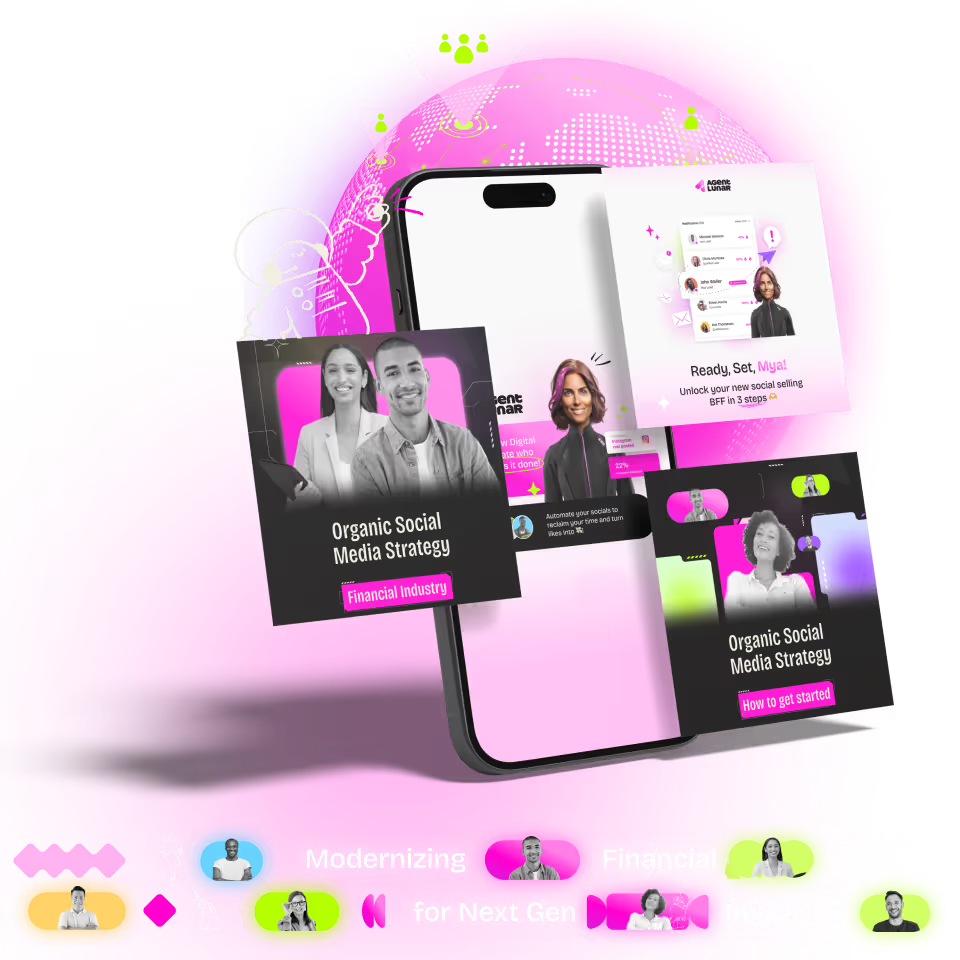
Let's talk about our past product demo projects and how we approach them
A strong product demo does not need to explain every feature. Bill4Time (the project we mentioned above )focuses on showing how the platform works in real scenarios, making the product easier to understand while keeping the message focused. this is basically the golden rule that we alway use for every product demo projects. let's use another video as an example:
Tangible product
This product video was all about showing golfers why this isn’t just another golf stick. Instead of simply listing features, we focused on explaining why each detail matters, from the interchangeable weights to the ultra-light carbon surface, and how those choices impact the overall experience.
To make sure every detail was accurate, we used the client’s CAD files to recreate the product with precision. This allowed us to showcase the design, materials, and functionality in a way that feels true to the real product.
Because when you first see it on a shelf, it might just look like another well-designed golf club. But once you understand how it’s built and why those features exist, the product becomes much more meaningful. The video gives those details context and helps potential customers move from simply noticing the product to understanding its value.
Intangible product
Okay, we’ve talked about physical product videos. Now let’s look at Intangible products and how motion can help explain things that are a bit harder to visualize.
The video above is one of our recent projects for a digital product. Unlike physical products, we don’t have something tangible to showcase, so the challenge is making an abstract idea feel clear. Instead of working from CAD files, we recreate the product experience through UI designs, Figma assets, and animations built in After Effects.
For Tyde Digital, the goal was to show how they help businesses fine-tune their digital strategy and understand what actually drives impact. It’s not the easiest concept to explain with words alone, but by combining UI animation, visuals, and voiceover, we can break it down into something much easier to follow.
That’s where motion really helps. It takes ideas that are difficult to see or explain and turns them into something people can understand quickly.
Want to see what that looks like in practice? Check out our work, or book a call with us if you’d like to explore how we can help bring your ideas to life.
Examples are useful. Yours is better.
Your product has a different story.
Send us the URL and we’ll animate one of your actual screens. That way you can judge the idea on something your audience will actually see.
What is the role of product demo video?
So you might be thinking, if product videos aren’t really about hard selling, why are companies investing in them?
That’s a fair question. Most companies aren’t creating product videos to push people into buying straight away. They’re not flashy ads with a big promotion or a limited-time offer. Instead, product videos help people understand what they’re looking at, how something works, and whether it’s actually the right solution for them.
And that understanding matters. When people are confused about a product, they hesitate. A good product video helps remove that friction by answering the questions buyers naturally have before making a decision.
It helps people move from:
“What is this?” → “How does it work?” → “Could this solve my problem?”
Here’s how product videos help make that happen:
Education and Awareness
Product demo videos are primarily educational tools. They help potential customers understand how a product works and its benefits clearly. By showcasing the product in action, these videos illustrate key features and benefits, real-world applications, and address common questions.
Marketing and Sales Support
In marketing, product demo videos are useful tools that can be used in many ways. They are always available on company websites, allowing potential customers to check out the product at any time. These videos are great for marketing campaigns. They help reach people on social media, through email, and on other websites. Sales representatives can also share these videos with potential customers, which makes it easier and faster to explain what the product does.
Trust Building
Building trust is another vital function of product demo videos. They show how well the product works, which is often more convincing than just pictures or words. These videos can feature customer reviews and real-life examples, giving honest feedback that increases trust. By explaining how a product works, companies can help buyers feel more confident in their choices.
Lead Generation
Finally, product demo videos play a significant role in generating leads. They connect with customers at different stages, from curious visitors to buyers ready to make a purchase. Video content grabs attention and encourages people to act, like signing up, buying something, or sharing the video. Companies can also use demos to collect contact details from potential customers, helping them grow their sales process.
In short, product demo videos boost customer interest, increase sales, and support marketing efforts by offering clear, relatable, and visually appealing content. They are important tools for any business wanting to showcase their products and engage with customers in today’s online world.
What is the difference between a sales demo and a product demo?
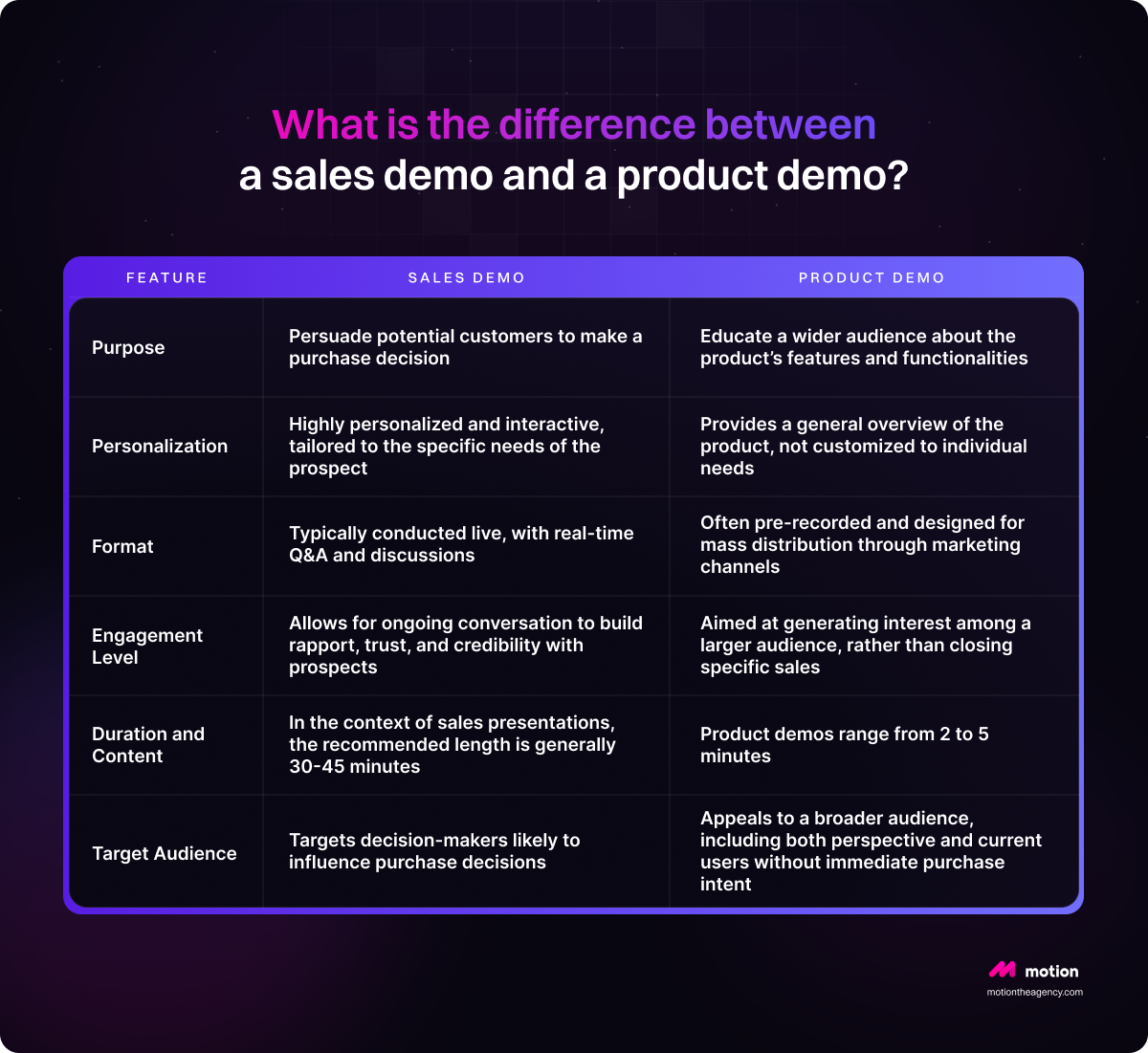
The distinction between a sales demo and a product demo is significant and highly relevant to the sales process, particularly in B2B contexts. These two types of demos have distinct characteristics, goals, and target audiences.
- Sales demos are primarily focused on persuading potential customers to make a purchase decision. They present the unique value proposition of a product or service tailored to the specific needs of the prospect. These demos are very personalized and interactive. They help sales representatives talk about the prospect's problems and build a good relationship. They usually happen live, allowing for real-time questions and answers, comparisons with competitors, and talks about pricing and return on investment (ROI).
- Product demos are meant to teach a larger group of people, including both new and current customers. Their main goal is to show the main features and uses of a product. These demos are usually pre-recorded and made for wide sharing through marketing, making them easy to reach many people. They focus on the basic abilities and key benefits of the product, not on specific needs of individuals. These demos are generally shorter and made for marketing, aiming to attract interest from a bigger audience.
The main differences between sales demos and product demos are their goals, how they are personalized, their format, and who they are aimed at. Understanding these differences can help sales teams improve their methods and presentations, leading to better sales and customer relationships.
When To Use Each Type
Many successful companies use both sales demos and product demonstrations to sell their products. Product demos can create interest and show potential customers how the product works, while sales pitches can answer specific questions and help move buyers closer to a decision.
In the end, using both strategically can improve your sales process. When you know what each one is for and where it fits in the buyer journey, it becomes easier to connect with potential customers, build trust, and increase conversions.
Want to see how your product could work as a demo video? Get a free sample video from us and we’ll help you explore the best way to show your product in action.

Sam Jupp
Sam Jupp is the founder of Motion The Agency, with over 11 years of experience in research and marketing. He specializes in leveraging creative animation and motion design to craft compelling brand narratives and writes insightful content on industry trends.


Bramuda
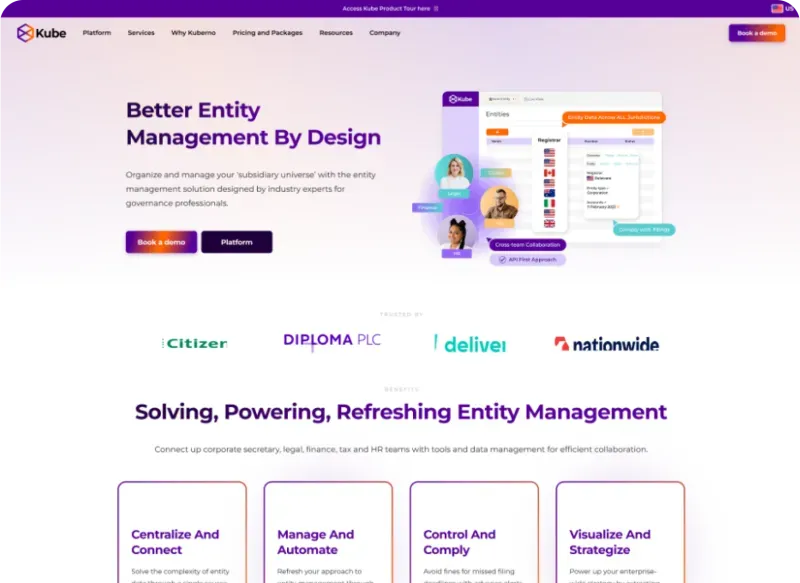
Bramuda is a creative strategist at Motion The Agency, where he writes compelling blog posts that support and expand upon the agency's video projects for SaaS brands. He works alongside animation team to create cohesive content campaigns for clients including Kuberno, Primer, and Dext.
In just a few questions, get a tailored estimate for your next video project.




Contact Us
Ready to elevate your brand? Contact us for your
Free Custom Video Sample