Product Demo Video Best Practices: Lessons From 1,750 B2B Demos
Shorter product demos aren't necessarily better. Our research found the opposite.
We analyzed 1,750 B2B product demos and found that only 11% of videos under 30 seconds reached the top 25% for engagement. For demos lasting 60–90 seconds, that number was 27%.
That's more than twice the proportion.
But video length wasn't the only surprise.
54% of demos had no clear call to action, and only 8% opened with a question, despite question-led demos performing particularly well in our study.
These findings challenge some of the most common advice about making product demos.
So, what should you actually be doing?
How long should your demo be, what should it communicate, and how can you make it more effective?
We've analyzed the scripts, opening hooks, visuals, and engagement patterns across all 1,750 videos to identify the product demo video best practices worth following, and the advice worth questioning.
What's the Ideal Product Demo Video Length?
So, how long should your product demo video be?
Start with what your buyer needs to understand, not a target runtime.
If you're demonstrating one feature, aim for 30–60 seconds. If you're explaining a more complex SaaS workflow, give yourself 90 seconds or more if needed.
Then watch your video back and ask three questions:
- Can viewers understand what the product does within the first 10 seconds?
- Does every feature shown help explain the product's value?
- Can you remove anything without making the product harder to understand?
If the answer to the last question is yes, cut it.
Your goal isn't to make the shortest demo possible. It's to make the shortest demo that explains your product properly.
What Makes a Product Demo Script Effective?
Before writing your product demo script, think of it as preparing a brief for your creative team.
Who are you trying to reach? What's the one thing you want viewers to remember? And what should they do after watching?
Getting these answers right will help you decide what to include, what to leave out, and how to tell the story.
Always start with the pain point they solved
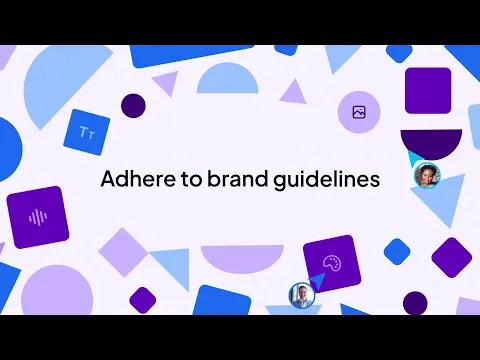
Your product demo should start with a problem your buyer recognizes, not an introduction to your company.
In our study, only 8% of voiced product demo scripts opened with a question. Yet 40% of those question-led demos reached the top 25% for engagement, compared with 26% across all demos.
That's an interesting pattern, especially when you consider that 25% of demos opened with a customer problem, while just 3% mentioned the brand name in the first ten words.
Think about it.
Would you rather watch a video that starts with “Introducing our revolutionary software” or one that immediately addresses a problem you've been struggling to solve, like our project with Stagwell above?
My advice is to make the buyer recognize their problem before introducing your solution.
Start with a question they might actually ask, or describe a frustrating part of their workflow. Then show how your product solves it.
You don't need a dramatic opening. You just need to give viewers a reason to care.
Give Viewers a Clear Next Step
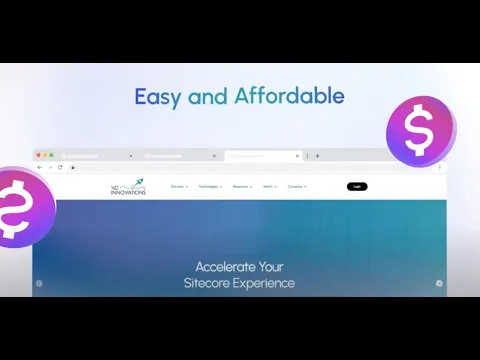
Your product demo shouldn't leave viewers wondering what to do next.
Yet our research found that 54% of the voiced demos we analyzed didn't end with a clear call to action.
That's a lot of videos explaining a product without giving interested viewers a way to take the next step.
And it doesn't need to be complicated.
If your goal is to get people using the product, invite them to start a free trial. If you're selling complex B2B software, encourage viewers to book a demo with your sales team.
Take our video for XCentium above, for example. It doesn't just introduce their new feature. It also gives viewers a clear next step, turning product interest into an opportunity to take action.
My advice is to choose one clear CTA based on where your buyer is in their journey.
Don't overwhelm viewers with five different options. Tell them exactly what to do next and make it easy to follow through.
Make Your Script Sound Like a Conversation
If your product demo sounds like a technical manual, you're probably losing your audience.
Nobody wants to sit through a list of features explained in complicated language. Your script should sound like you're talking to a potential customer, not presenting at a product development meeting.
Our research found that 81% of analyzed scripts used "you" more often than "we." That's encouraging because a good demo should focus on what the buyer can accomplish, rather than what the company has built.
We also found that the median narration pace was 135 words per minute.
That gives you roughly 135 words for a 60-second video or 200 words for a 90-second demo.
But don't treat those numbers as a target you have to fill.
Write your script, read it out loud, and cut anything you wouldn't naturally say in a conversation.
And remember to leave enough room for pauses and on-screen demonstrations. Sometimes showing how a feature works is far more useful than explaining every detail.
What About the Visuals? Will They Hold Your Attention?
Yes, but better visuals don't necessarily mean smoother animations or more expensive production.
Whether it's polished animation, live-action footage, or a beautifully presented product interface, looking impressive doesn't always mean your product is easy to understand or remember.
As we previously explored in our article on what makes a commercial memorable , a 2026 study by Yu and Dong from National Tsing Hua University in Taiwan analyzed 210 videos to investigate whether visual quality predicted memorability.
The researchers found that traditional measures such as aesthetics, technical quality, and motion smoothness weren't reliable predictors of how memorable a video would be.
Our own research revealed another interesting pattern.
Across 1,755 YouTube comments on B2B product demos, praise for animation appeared 2.4 times more often than praise for clear explanations.
More surprisingly, comments expressing confusion were seven times more likely to receive five or more likes than generic praise.
People can appreciate how a video looks while still struggling to understand the product.
And this is where I think custom animation has a real advantage, especially for B2B and SaaS companies.
Animation gives you complete control over how your product is presented. You can simplify complicated workflows, visualize systems that aren't visible on screen, and highlight the features that matter most to your buyers.
Rather than showing every button and menu, you can guide viewers through the product's value without overwhelming them.
Of course, animation isn't always the answer.
Live-action footage works well for demonstrating physical products in real-world situations, while screen recordings let buyers see exactly how software works. You can also combine both approaches with animation to make complex demonstrations easier to follow.
My advice? Don't choose a visual style just because it looks impressive.
Choose the approach that makes your product easiest to understand, then use thoughtful design and distinctive animation to make it memorable.
Because the best product demos don't just show people what a product looks like. They help people understand why it matters.
Where Should You Put Your Product Demo Video?
Well, the short answer is everywhere your potential buyers might find it.
But here's something worth remembering: not every product demo needs to go viral on YouTube.
In our study of 1,750 B2B product demos, the median video received just 430 views, and 65% had fewer than 1,000.
And that's not necessarily a bad thing.
A demo watched by 100 potential buyers could be far more valuable than one watched by thousands of people who have absolutely no interest in your product.
Your website is one of the most useful places to start, especially on product and feature pages.
Yet, in our separate study of 1,019 SaaS homepages , we found that 78.3% didn't feature any video at all.
And simply adding a video isn't necessarily enough.
In the same study, homepages with video but no schema had similar visit durations to those without video. Those with manually implemented video schema saw longer visits, although we can't attribute that difference to schema alone.
Don't forget your sales team.
Product demos can be shared after meetings, included in follow-up emails, or used to answer buyer questions without arranging another live demonstration. We also explored how sales teams use video to support buyer conversations in our Video for Sales pilot study .
You can also share them through LinkedIn, email campaigns, and YouTube to reach potential buyers earlier in their journey.
My advice? Don't measure success by YouTube views alone.
Your demo might be far more valuable on your website or in a sales conversation, where people are already interested in what you offer.
Because 100 qualified viewers can be worth far more than 10,000 random ones.
How to Get More From Your Existing Product Demo?
One of the easiest ways to get more value from your product demo is to repurpose what you already have.
Not only does this save time, but it also helps you make the most of your production budget.
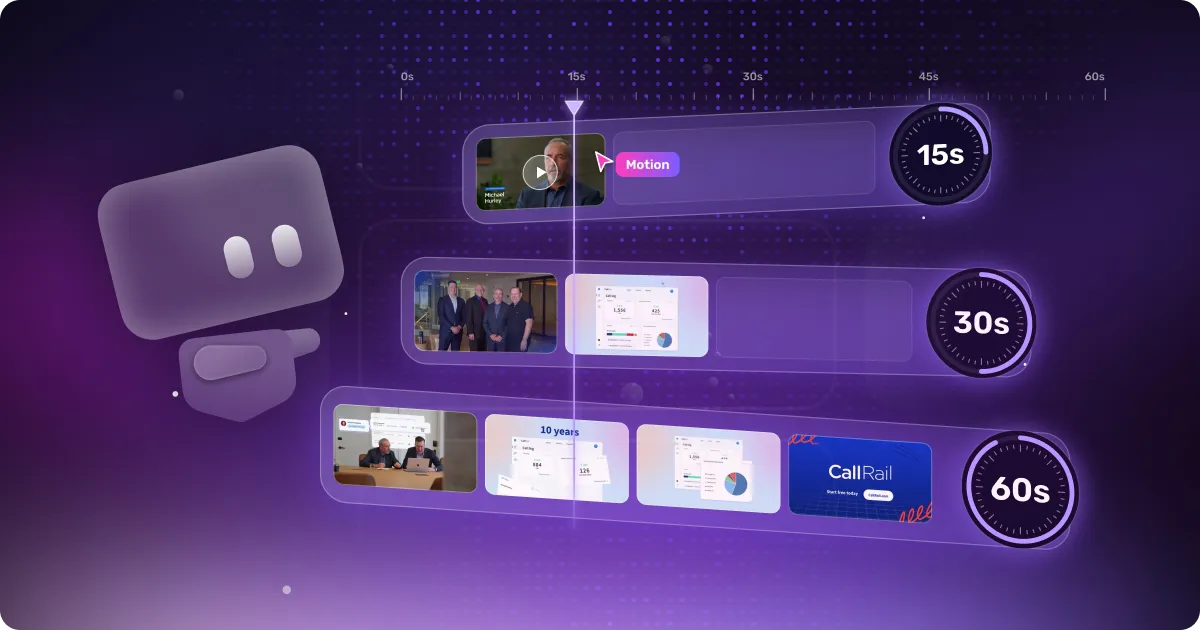
A 90-second product demo can become a 15-second social media teaser, a feature highlight, or a short clip for your sales team.
One video doesn't have to serve just one purpose.
But you're probably wondering, how do you actually do that?
Start by creating reusable assets.
Keep your animations, UI elements, and product footage organized so you can use them again in future videos. This way, you won't have to start from scratch every time you need new content.
Another thing worth doing is monitoring performance and making small improvements.
If viewers consistently drop off during a particular section, try shortening it or changing how the feature is explained. Sometimes a small edit is all you need.
And remember, what works for one product might not work for another.
That's why I'd recommend setting aside some budget for A/B testing. Experiment with different openings, video lengths, and edits to see which versions resonate with your audience.
But don't just collect the data. Learn from it.
Look at what worked, what didn't, and why. Combine performance data with feedback from your sales team and previous production experience to understand what you should repeat and what you should avoid in your next video.
Over time, you'll build a much clearer picture of what actually works for your buyers, rather than relying on generic video marketing advice.
But perhaps the most important thing is keeping your demo up to date.
SaaS products change constantly. New features are released, interfaces get redesigned, and workflows evolve.
If your video still shows an outdated version of your product, update the relevant scenes rather than producing an entirely new demo.
My advice? Treat your product demo as an ongoing marketing asset, not a one-off project.
The more you reuse, test, learn, and improve, the more value you can get from your original investment.
Final Thoughts: What Actually Makes a Good Product Demo?
If there's one thing we learned from studying 1,750 B2B product demos, it's that there's no single formula for making a successful video.
Shorter isn't always better. Beautiful animation doesn't guarantee understanding. And thousands of YouTube views don't necessarily mean you're reaching the right buyers.
What matters is how well your demo explains your product, holds attention, and gives viewers a reason to take the next step.
So, don't just follow every product demo best practice you come across, including ours.
Use the research as a starting point, then test what actually works for your audience.
And if you're wondering how to turn those insights into a product demo of your own, we'd love to help.
At Motion The Agency, we can create a free custom video sample featuring your product, so you can see our approach before committing to a full project.

Widi Setyowati
Widi is a content marketing specialist with experience in video marketing, email marketing, and content creation. At Motion The Agency, she specializes in crafting engaging video campaigns, impactful email outreach, and insightful written content.

In just a few questions, get a tailored estimate for your next video project.




Contact Us
Ready to elevate your brand? Contact us for your
Free Custom Video Sample