Explainer Video vs Demo video: Which One, and When
Explainer video vs demo video: which one, and when
One thing we know from working with SaaS and B2B companies is that video has become an important part of many marketing campaigns. The bigger question is not whether they need video, but which type of video they need.
In this article, we will look at two of the most sought-after formats based on our experience: explainer videos and demo videos. These formats are not competing with each other. They answer different questions at different stages of the buyer journey.
In simple terms, an explainer video shows what the product does and why it matters, while a demo video shows how the product works through its features, interface, or workflows.
Explainer video vs demo video: what is the difference?
As we mentioned earlier, these two videos are not competing formats. They do different jobs, but they often work best together. An explainer helps people understand what the product is and why it matters. A demo picks up from there, showing the features, workflows, and product experience in more detail. One gets the buyer interested; the other helps them decide.
What an explainer video does
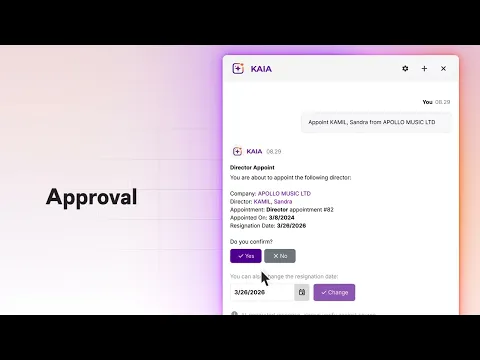
An explainer video is usually the better choice when the product is new, unfamiliar, or difficult to understand at first glance, just like Kuberno’s explainer video for its new features above. Its job is to introduce the product, explain the problem it solves, and show why it matters without getting too deep into every feature. Rather than focusing only on the interface, it shows how the product affects someone’s day-to-day work, what becomes easier, and what changes once they start using it.
That is why explainer videos tend to sit at the top of the funnel, where the audience is still learning about the product and deciding whether it is worth their attention. You will often see them used on homepages, landing pages, product launches, and early-stage campaigns. The goal is to make the product clear enough that people understand the value and want to learn more.
What a demo video does
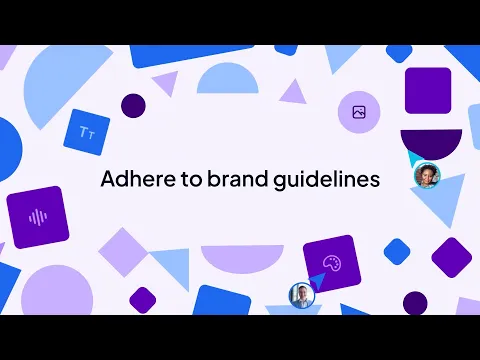
A demo video , like our Stagwell project above, works best when the audience already understands the basic product idea and wants to see how it actually works. It focuses more closely on the product itself, including the interface, specific features, workflows, and the steps someone would take to complete a task. Rather than explaining the wider product story, it gives buyers a clearer, more practical view of what using the product would look like.
That makes demo videos a better fit for the middle or bottom of the funnel, where buyers are comparing options, speaking with sales, or getting closer to a decision. They are often used on product pages, during sales calls, for feature launches, onboarding, and customer education. A good demo should not try to show everything. It should focus on the features and workflows that matter most to the audience.
What Our Research Shows
At Motion The Agency, we've produced hundreds of videos for B2B and SaaS companies. We've also studied 1,750 B2B and SaaS product demos to understand what separates stronger-performing videos from the rest.
One finding stood out: more detail doesn't necessarily mean a longer video.
In our research, 27% of product demos lasting 60–90 seconds reached the top performance quartile. Longer videos performed at similar rates, suggesting that extra runtime doesn't automatically lead to better results.
And that's particularly relevant when choosing between an explainer and a product demo.
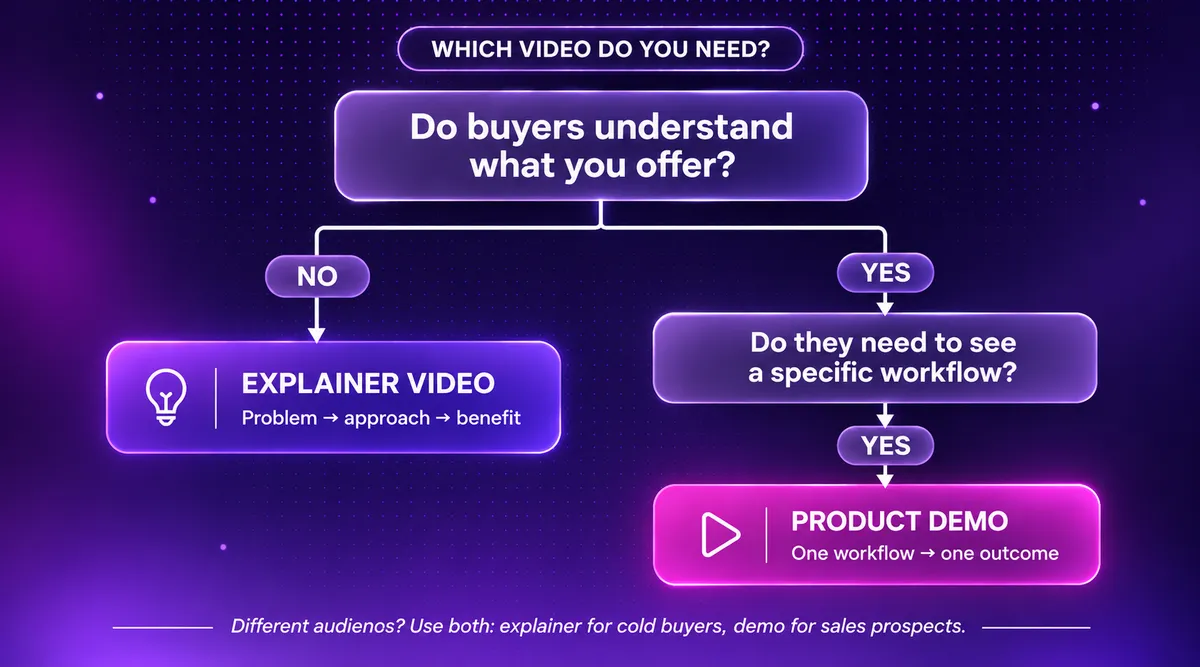
Explainer videos introduce the bigger picture: what your product does, why it matters, and the problem it solves. Product demos take buyers further, showing specific features, workflows, and use cases.
But a demo doesn't need to show everything. It needs to show enough for buyers to understand how the product solves their problem.
We break down the relationship between video length, scripting, and viewer response in our B2B Product Demo Video Study 2026 .
The takeaway? Choose the format based on what your buyer needs to understand, not how much information you want to include.
Which video should you make first?
Choose an explainer when people need the bigger picture
If we are being completely honest, only you can decide which video your company actually needs. You know the product, the audience, and the questions people keep asking better than anyone else. Before you start thinking about style, length, or animation, get clear on the end goal first. Do you want people to understand why the product exists, what problem it solves, or why it is worth paying attention to? If the goal is to build awareness, introduce something new, or help people understand the product at a high level, an explainer video is usually the better fit.
One of the first things we ask every client is what they want the video to achieve. Not five goals. One clear goal. For an explainer, that goal is often informational: helping the audience understand the problem, the solution, and the value without overwhelming them with features. That clarity helps us decide what the video should focus on, which message needs the most attention, and what can be left out. Without it, it is very easy to create a video that tries to explain everything at once and leaves the audience understanding very little.
Choose a demo video when buyers need to see the product in action
A demo video is the better choice when people already understand what your product does, but still want to see how it actually works. Maybe they are asking about a specific feature, trying to understand a workflow, or comparing your product with another option. At that point, they do not need another high-level explanation. They need to see the interface, the steps involved, and what using the product would actually look like.
The main thing is to keep the demo focused. Decide what you want the viewer to understand by the end, whether that is how to complete a task, how one feature solves a problem, or how the product fits into their current process. Without that clear goal, a demo can easily turn into a long product tour that shows everything but does not really help the buyer decide.
When you may need both an explainer and a demo video
Sometimes, the answer is not choosing one or the other. You may need both because marketing and sales are usually speaking to people at different stages. Marketing needs something simple that introduces the product and gives people a reason to care, while sales may need something more detailed that shows how the product actually works.
Trying to fit both jobs into one video can get messy quite quickly. Show too many features, and you risk overwhelming people who are only just discovering the product. Keep it too high-level, and it may not give interested buyers enough detail to properly evaluate it.
That is why it often makes more sense to let each video do one job well. The explainer introduces the problem, the product, and the value. The demo then picks up from there and shows the features, workflows, and product experience in more detail.
They can still feel connected by using the same messaging, visual style, UI elements, and animation assets. Marketing can use the explainer on the homepage or in campaigns, while sales can send the demo when prospects start asking more specific questions. One gets people interested. The other helps them decide.
Working with a SaaS video studio
A good SaaS video studio should not start by telling you that you need an explainer or a demo. It should first look at who the audience is, what they already understand, where they are in the buyer journey, and what you want the video to help them do next. Someone discovering the product for the first time will need a very different video from someone already speaking with sales and comparing features.
The way the video will be used matters too. A homepage video may need to introduce the bigger product story, while a video used during sales calls may need to focus on one workflow or feature. This is why the format should be chosen around the audience and use case, rather than simply choosing the type of video that looks best.
There is also no reason to rebuild everything from scratch each time. The UI elements, design system, illustrations, and animation assets created for an explainer video can often be reused in an animated product video, feature launch, social cutdown, or sales asset. That keeps the videos visually connected while making future content faster and easier to produce.
At Motion The Agency, we help SaaS companies decide which format makes sense based on what their audience needs to understand next. You can also get a free video sample to see how your product could be turned into a clearer explainer or demo.
FAQ

Sam Jupp
Sam Jupp is the founder of Motion The Agency, with over 11 years of experience in research and marketing. He specializes in leveraging creative animation and motion design to craft compelling brand narratives and writes insightful content on industry trends.

In just a few questions, get a tailored estimate for your next video project.





Contact Us
Ready to elevate your brand? Contact us for your
Free Custom Video Sample