Using AI in Motion Design? Here’s What Works and What Doesn’t

table of content
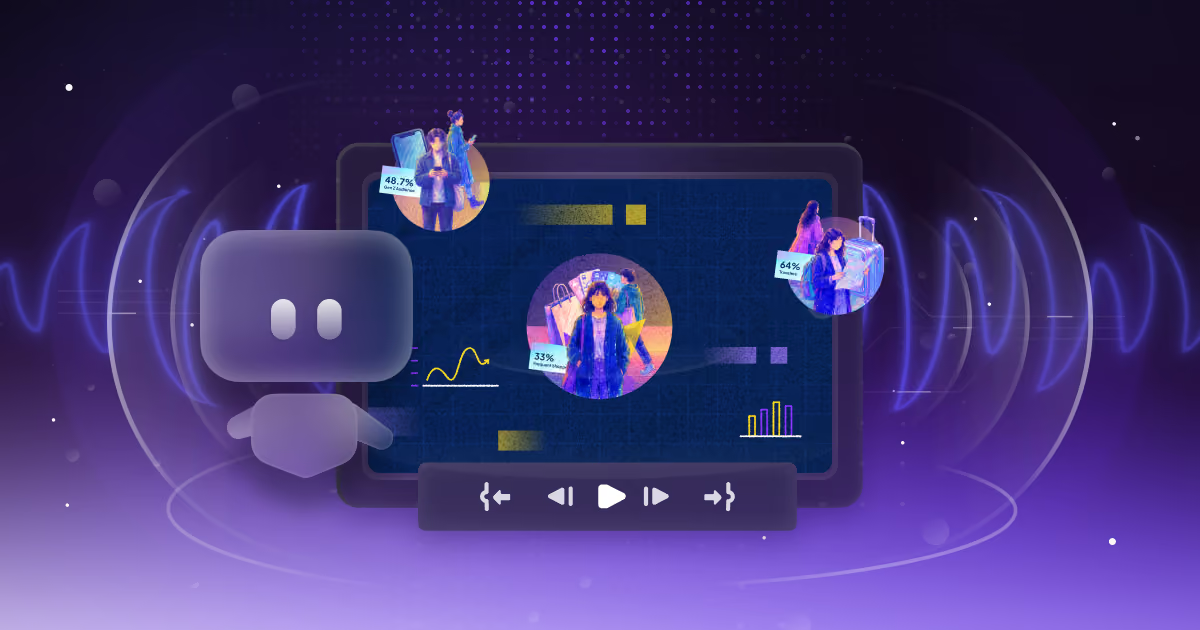
If you’ve been poking around our site, you’ve probably seen some of our blogs or case studies. And yeah, we talk a lot about how we use AI in motion design and graphics.
But if you’re new here, here’s the quick version:
We see AI as something that helps us move faster and work smarter. Not something that replaces creativity or the people behind it.
We also talked about this in a more in-depth way in our blog “The Future of AI in Motion Graphics – Will It Replace Designers or Enhance Creativity?”, if you’re curious about our full stance.
Now, we’re not out here jumping on every “AI for motion design” tool that pops up. Our current workflow’s already tight, and we’re pretty happy with the pace we’re moving. So any tool we bring in has to actually improve things, not slow us down.
For us, AI (especially the machine learning kind) is more like a smart assistant. It handles the repetitive stuff and helps us brainstorm faster. That means more creative energy for the team, better ideas on the table, and no drop in quality.
How AI can streamline editing and iteration of marketing motion graphics?
Everyone has their own reason for using AI in their workflow. For us, it mostly comes down to two big areas:
For brainstorming and research
Imagine having an assistant that remembers every idea you’ve had, every note you’ve written down, and can instantly pull from all of that to help shape your project. That’s pretty much how we use tools like GPT and Gemini.
They help us organise thoughts, connect the dots, and find the right information to support our creative decisions faster.
We also use prompt-to-visual tools when exploring visual direction. Instead of spending hours creating mood boards from scratch, we can test different styles, visual approaches, and concepts with a few prompts.
This helps us move faster, align with clients earlier, and spend more time refining the ideas that matter.
To speed up editing, iteration, and production
Every project comes with its own timeline and budget. The goal is always to deliver great work as efficiently as possible, and this is where AI becomes really useful.
We’re not using AI to replace the creative process. Instead, we use it to handle the repetitive tasks that usually slow things down, so our team can focus more on the parts that require actual creative thinking.
Tools like Runway and Leonardo AI help us explore visual options, create supporting assets, and test different directions without spending hours searching through stock libraries or creating everything manually from scratch.
It also helps during the editing and feedback stages. Instead of spending too much time testing small changes or exploring different versions, AI allows us to quickly try different variations and find the right direction faster.
At the end of the day, AI helps us spend less time on repetitive work and more time making the final motion graphics better.
The AI tools we actually use
So, like we’ve mentioned before, we don’t use AI in every part of our workflow. In general, we rely on two main types of AI tools. Quick disclaimer, though, we’ve tested these ourselves and seen how they actually impact our process. But it’s worth saying that our motion workflow is already pretty solid on its own. We’re not out here fixing what’s not broken. We’re just using AI to make what’s already working even smoother.
Visual generative tools
These are the AI that we use to generate visual references or footage for our project:
Invideo
.png)
- What it is: InVideo is an AI-powered video generation tool. It takes a script or prompt and turns it into a full video draft using generative visuals, voiceover, and text overlays.
- How we use it: We use InVideo generative stock video and AI template tools, to help us find much needed footage. But InVideo is recently just launch their AI generative video, and we talked bout it in more details in our blog ”Our Honest Review of InVideo AI Generated Video”. But we see their AI generated video animation are more suited to pump up quantity dense videos rather than quality video. It is good if we need a reference ideas or need a fast first draft, but definitely no the end result.
- What kind of result we get: It is good if we need a reference ideas or need a fast first draft, but definitely no the end result.
- Where it can fits in our process: We can see it fit in early in pre-production. When we need to test direction quickly or explore how a script could look in motion without jumping into heavy software.
Kling & Runway ML
.png)
- What they are: Both are AI video tools, but with different specialties. Kling focuses on text-to-video generation with more cinematic results. Runway ML is a powerhouse for things like background removal, VFX, masking, and stylized video edits.
- How we use them: Kling is our go-to for stylized, generative b-roll or animated assets we can layer into motion work. Runway ML helps us with cleanup — removing backgrounds, isolating assets, or creating transitions when we want something fast but still visually engaging.
- What kind of result we get: We’ve used Runway to isolate UIs for animated walkthroughs and Kling to create filler shots for social reels when there’s no live footage yet. The results save time and budget without killing the quality.
- Where it can fits in our process: These tools show up big during production and post. They help us move faster through otherwise time-heavy tasks, especially when we’re working with limited assets or tight turnarounds.
Midjourney
.png)
- What it is: Midjourney is a generative AI tool we use to create high-quality visual references. It turns text prompts into super polished, artistic images.
- How we use it: Okay as a AI image generator, we don’t really utilize this past the planning and storyboard part where we used them to help us visualize the whole project until the end.
- Why it’s so useful during client calls: Imagine this. You’re on a call with a client and they’re describing the look or vibe they want. While they’re talking, we’re generating images in Midjourney to match what they’re describing. It helps us quickly get on the same page, align on the visual direction, and make sure everyone’s seeing the same picture before we even start production. Super helpful for faster approvals and smoother feedback loops.
Non-visual generative tools
Klutz
.png)
- What is it: Klutz is a plugin for After Effects that helps automate small, repetitive tasks. Think quick layer renaming, auto-controls, and other little time-savers that make the setup phase less of a headache.
- How it helps us automate internal workflows or scripting: We don’t reach for Klutz every day, most of the time, our team sticks to manual workflows because they give us more control. But when the pressure’s on and deadlines are tight, it’s a solid helper. Great for clearing out the small stuff so we can stay focused on the big picture.
- Results and efficiency gains: It’s not a game-changer, but it’s definitely useful. It helps knock out the tedious bits faster, especially for team members who aren’t deep into scripting. Saves a few minutes here and there, and that adds up when things are moving fast.
- Where it’s most useful: Klutz is more of a sidekick than a core part of our process. We’ll use it when we need it, but we don’t depend on it. At the end of the day, we’d rather keep full creative control, especially for the more complex builds.
ElevenLabs
.png)
- What it is: ElevenLabs is our go-to AI tool for voiceovers. It creates super realistic voices in all kinds of tones and languages. Honestly, it sounds way better than most of the robotic AI voices out there, clean, natural, and easy to work with.
- How we use it: Forth of hiring talent. Whether it’s for explainers, promo drafts, or product teasers, we can drop in a script, pick a voice, tweak the tone, and we’re good to go. It’s also great for multilingual content. If a client needs versions in Spanish, French, or any other language, we can get it done super quick, and still have it sound smooth and human.
- Why it saves time and adds flexibility: It’s perfect for tight timelines. Instead of waiting on VO talent or juggling multiple revisions, we can generate a few versions in minutes, different moods, pacing, whatever the project needs. And because we’re not spending extra time or money booking talent, it’s a huge win for clients on a budget who still want a solid explainer video without cutting corners on quality.
- Where it fits in our process: We usually bring it in during post-production. Once the animation’s in a good place, we plug in the VO so everything flows together. Sometimes it’s just a draft to get feedback quicker, but honestly, the quality’s good enough that we’ve kept it in final videos more than once.
ChatGPT and Sider
.png)
- What are they: ChatGPT is an AI tool built for conversation and idea generation. It’s great at helping us think through a topic, break down complex info, or gather inspiration fast. Sider is like our little sidekick, and works directly inside tools like Notion, Google Docs, and even Figma. So when we’re brainstorming inside a doc or deck, we don’t need to bounce between tabs.
- How we use them: We don’t use these tools to generate full scripts, that’s still very much a human job on our team. But they’re awesome for research and early idea generation. Need a better way to explain something? Looking for angles, references, or even structure? We’ll drop a few prompts in and use the responses to spark the right direction.
- Why they’re helpful: They save us time at the start of a project. Instead of digging through 10 tabs or trying to write from scratch, we get a fast creative jumpstart. It’s like having an assistant that helps you organized your thoughts, without replacing your voice.
- Where they fit in our process: These tools live mostly in pre-production, especially during the research, concepting, and pitch stages. Whether we’re outlining a new explainer or figuring out the best hook for a campaign, they help us work faster without losing clarity.
What to keep in mind when using AI
Okay, we know our own stance on AI is not everyone stance, the topic of AI in general is very much controversial. And that is especially true within the creative industry, like motion design, where creativity and originality is very important. Just because a tool can do something doesn’t always mean it should. So yeah, there are definitely some ethical questions that come with using AI.
That’s why we’re intentional about how we bring AI into our workflow. We don’t use it to replace creativity, and we’re not trying to automate the soul out of a project. We use it where it actually helps. It speeds up repetitive tasks, helps us test ideas faster, and keeps the process running smoothly. But it’s never a shortcut for thoughtful design.
We keep things transparent from the start. Our clients always know where AI fits into the process. No hidden tricks, no cutting corners. Just smart tools helping us deliver the best results possible.
If you’re curious how this all works in practice, book a call with us or check out our services. We’d love to show you how we balance efficiency with craft and how AI fits into that mix the right way.

Syarafina Kuswahyuni
Syarafina Kuswahyuni is a content marketer at Motion The Agency, where she covers explainer video production, motion design trends, and video marketing strategy for SaaS brands. She has worked alongside Motion's animation team on projects for clients including ClickUp, Apollo.io, and HackerRank

In just a few questions, get a tailored estimate for your next video project.




Contact Us
Ready to elevate your brand? Contact us for your
Free Custom Video Sample