3D Animation, VFX, and Motion Design: What Sets Them Apart?
The biggest difference between motion design and 3D animation is what you're creating and how you create it.
Motion design brings graphics, typography, and visual elements to life. 3D animation works with objects built in three-dimensional space, giving you control over their depth, lighting, materials, and camera angles.
But the two aren't mutually exclusive.
At Motion The Agency, we regularly combine both in the same video.
And here's something we've noticed.
Clients sometimes come to us asking for motion graphics, only to show us references involving rotating products, realistic 3D environments, or complex camera movements.
What they're describing actually requires 3D production.
That's an important distinction because building a 3D product from scratch is a very different process from animating existing graphics.
It affects the production timeline, the resources involved, and ultimately, the cost.
So, we'll break down where motion design and 3D animation differ, where they overlap, and how to decide which approach makes sense for your next video.
What is motion design?
Motion design is more than making graphics move.
It brings together graphic design, animation, and audiovisual elements to communicate ideas visually. That's also how Vatamanyuk and Basaraba describe it in their 2026 journal article, Synergy of 2D and 3D Animation in Motion Design .
That might involve animated typography, illustrations, interface elements, or even fully rendered 3D objects.
And that's where people often get confused.
Motion design isn't limited to 2D graphics. It can incorporate both 2D and 3D animation, depending on what you're trying to communicate.
So why does this matter when you're commissioning a video?
Because asking for motion design doesn't tell a studio exactly what needs to be produced.
A simple typography animation and a fully modelled 3D product reveal can both fall under motion design, but the work involved is very different.
Understanding that distinction helps you communicate your visual references, set a realistic budget, and avoid surprises when the production scope is agreed.
You don't need to know how to animate anything yourself.
But knowing what you're asking for makes it much easier to get the video you actually want.
What is 3D animation?
3D animation is the process of creating and moving objects in a three-dimensional digital space.
Unlike flat graphics, 3D objects have depth, which means you can rotate them, view them from different angles, and move a virtual camera around them.
But there's quite a bit of work behind that.
It usually starts with 3D modelling, where the object is built digitally. Then come materials, textures, lighting, and animation to make it look and move the way you want.
For businesses, this opens up possibilities that traditional footage or 2D graphics can't always deliver.
You can show a product before it's manufactured, reveal the internal components of a machine, or demonstrate how something works without needing a physical prototype.
And it doesn't always have to look realistic.
3D animation can be highly stylised, depending on your brand and what you're trying to communicate.
The important thing is whether that extra depth and detail actually help explain your product.
We've covered the techniques, production process, and different applications in much more detail in our guide on what 3D animation is .
3D animation vs motion design: Key differences
Okay, we talked about the definition of both 3D animation and motion design. now let’s talk about their key differences and why it is important for us to know but also for our clients.
now, we think the biggest misconception is that 3D animation and motion design are two completely different services.
They are not.
Motion design is a broader creative discipline, while 3D animation is one of the techniques that can be used within it.
Motion design is concerned with how graphics, movement, and sound work together to communicate something. 3D animation is concerned with creating movement in a three-dimensional space.
And the reason we think this is important for you (hopefully our potential client) to know is that the distinction affects everything from the visuals you can create to the production work involved.
Here's how they compare:
Here's where this becomes important for your project.
You might only need animated text and interface elements to explain how your software works.
But if you want a realistic laptop rotating in space, with the camera moving around it, that may require 3D production.
Both can be part of the same motion graphics video.
And that's why we don't think choosing between motion design and 3D animation should be your first decision.
Start with what your audience needs to see and understand. Then work out which animation techniques will get you there.
So, When Do You Need 3D Animation?
3D animation makes sense when you need to show something that would be difficult to explain with 2D motion graphics alone.
For example, you might need to rotate a physical product, reveal its internal components, or show how different parts work together.
These are things that flat graphics or traditional camera footage can't always communicate clearly.
But 3D isn't just for physical products.
We also use it to visualize abstract technology, create depth in digital environments, or give certain moments in a video more visual impact.
And you don't necessarily need an entirely 3D video to achieve that.
At Motion The Agency, we often combine 3D elements with traditional motion graphics, using each where it makes the most sense.
The question isn't whether 3D will make your video look better. It's whether it will help your audience understand something better.
Here are four situations where 3D animation is worth considering.
When your product needs to be seen from different angles
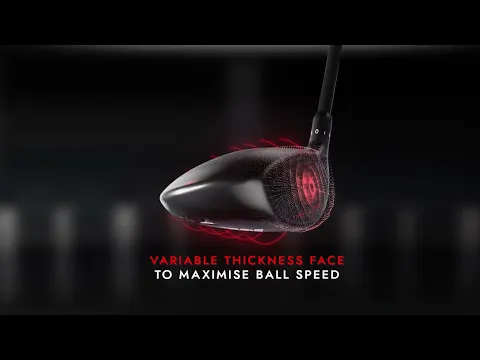
Physical products often require realistic visualisation. That means showing them from different angles, demonstrating how they move, and highlighting intricate details or unique shapes.
That's where incorporating 3D animation into your motion design video makes sense.
Let's take a look at our project with Wishon above. We used the client's CAD files to accurately recreate their golf clubs, then animated them from different perspectives to showcase their design, materials, and technical features.
Rather than relying on static product shots, we could rotate the clubs, zoom into specific details, and separate components to show what makes their construction different.
And that's the real advantage of 3D here.
You're not just showing buyers what the product looks like. You're helping them understand why it's designed that way.
When you want a particular moment to stand out
Not every use of 3D needs to serve a technical explanation.
Sometimes, you want to give a product launch, feature announcement, or brand reveal more visual impact.
A dimensional logo, rotating product, or short 3D transition can introduce depth and movement without changing the style of the entire video.
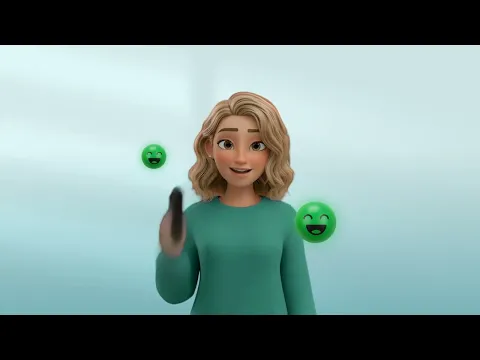
Okay, let's use our project with AirCS as an example.
We chose to animate the characters in 3D to put more emphasis on them and make them stand out from the background visuals.
This allowed us to draw the viewer's attention to the characters without having to make the entire video 3D.
But we'd be selective about where to use it.
If everything is treated as a big visual moment, nothing really stands out.
When you need to show something that doesn't exist yet
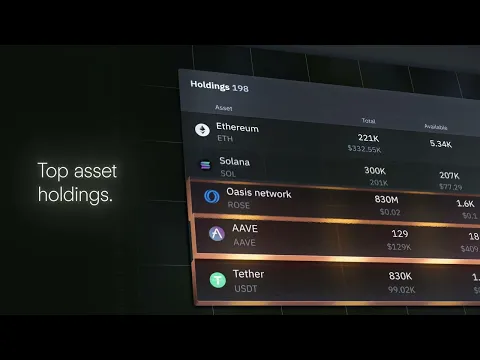
Imagine you're launching a physical product that's still being developed, for example our project with Copper above.
You don't have a finished product to film, but you still need to show potential customers what it looks like and how it works.
3D animation lets you create those visuals using digital models.
You can then combine them with animated typography, diagrams, and other motion graphics to explain the product's features and benefits.
And once those 3D assets have been created, you may be able to reuse them across future marketing materials.
Here's what I'd encourage you to remember.
You don't have to choose between a motion graphics video and a 3D animation.
You can use 3D for the moments that genuinely benefit from depth, perspective, or additional detail, while letting simpler motion graphics handle everything else.
That's often a much more sensible approach than making the entire video 3D just because you can.
Why we often combine motion design and 3D animation
The best thing about combining 2D motion graphics and 3D animation is that you don't have to sacrifice clarity for visual impact.
And that's a pretty big advantage.
2D motion graphics are great for getting information across. You can use animated typography, illustrations, and UI elements to explain complicated ideas without making everything look overly elaborate.
But sometimes, flat graphics just won't cut it.
That's where 3D comes in.
You can rotate products, reveal internal components, or create a sense of depth that would be difficult to achieve with 2D alone.
The trick is knowing when to use each one.
We do this quite a lot at Motion The Agency. Some scenes only need simple motion graphics, while others benefit from 3D elements that make the message easier to understand.
And we're not the only ones who see the value in combining them.
A 2026 study by Vatamanyuk and Basaraba , Synergy of 2D and 3D Animation in Motion Design, discusses how combining both techniques can balance visual impact with production efficiency.
Which makes sense.
Why build an entire scene in 3D when you can get a better result by combining the two?
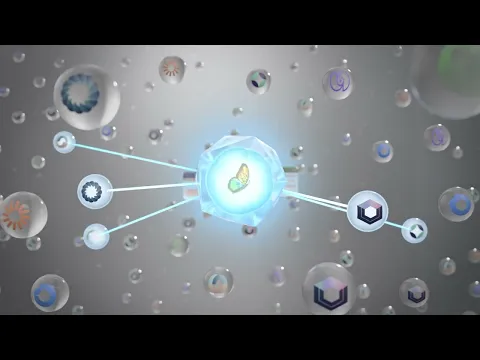
Let's take our project with Skylar as an example.
At the beginning of the video, we used 3D animation to introduce the product and create a visual hook that grabs the audience's attention.
But when it came to explaining how the product actually works, we switched to a more 2D motion design approach.
This allowed us to demonstrate the product's features and workflows clearly, without adding unnecessary visual complexity.
Rather than building every scene in 3D, we can use it for specific moments where it adds value, while keeping simpler elements in 2D.
That can save production time and help us focus the budget on the visuals that actually need more work.
Combining 2D and 3D isn't about making a video more complicated. It's about using each technique where it works best.
How much do motion graphics and 3D animation cost?
Okay, we will use our own pricing as the based in this section.
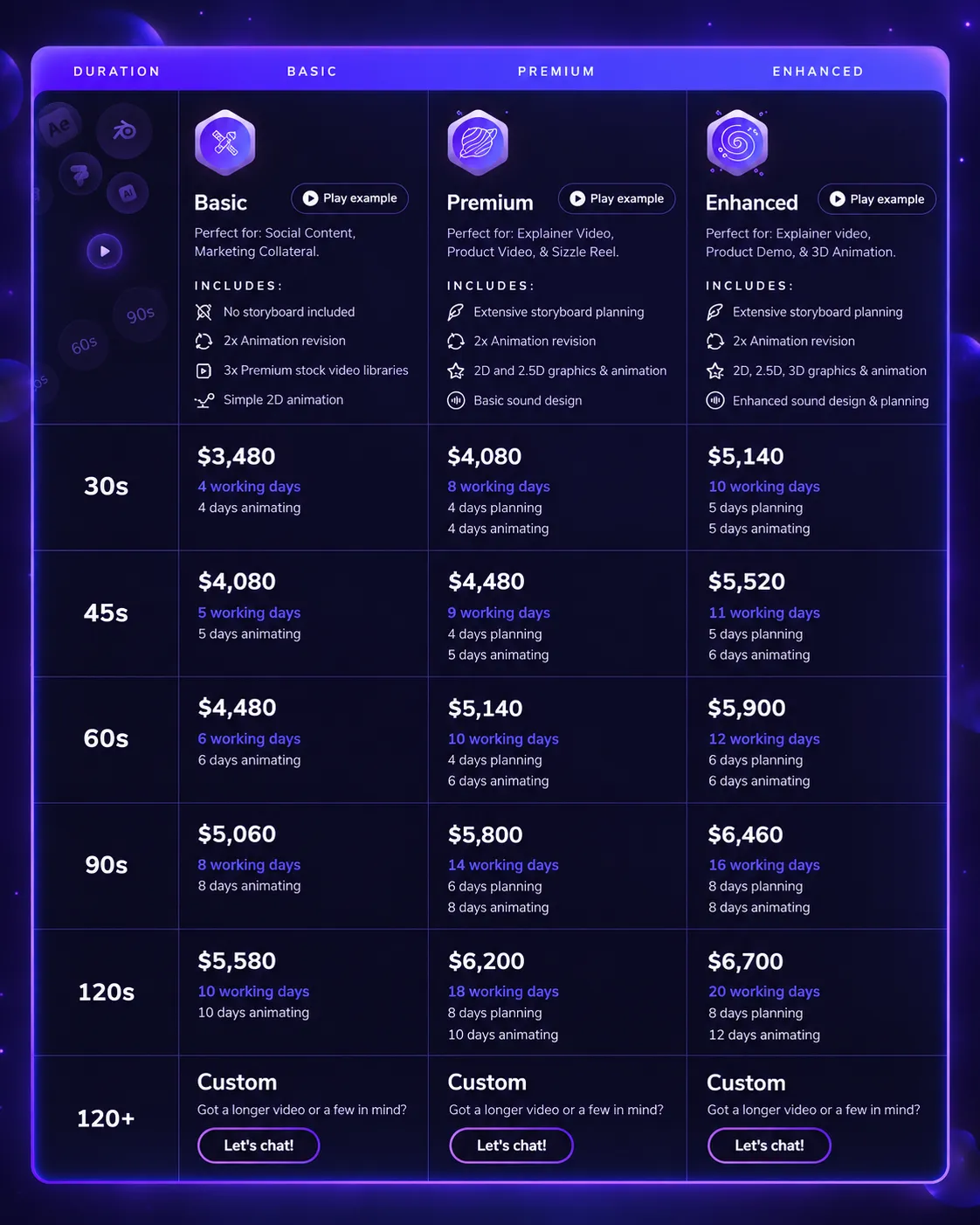
One thing you need to understand before budgeting for a video is that project complexity has a direct impact on pricing.
And when we say complexity, we're talking about more than just how long the video is.
The animation style, level of detail, number of scenes, and additional deliverables all affect the final cost.
Even add-ons like aspect ratio reformatting can change the quote.
For example, at Motion The Agency, our standard fixed-price animation costs $3,480 for 30 seconds and $4,480 for 60 seconds.
Now, when 3D animation enters the picture, there's more to consider.
Unlike straightforward 2D motion graphics, 3D animation can involve several production stages, including modelling, texturing, lighting, animation, and rendering.
And each stage requires specialist skills.
That's why our 3D animation pricing starts at $5,140.
But that doesn't mean every video incorporating 3D elements will automatically cost that much.
For example, adding a short 3D laptop reveal to a mostly 2D software explainer is a different scope from creating a fully 3D product demonstration with custom models, realistic materials, and multiple camera angles.
The second project involves significantly more 3D production work, so we'd price it accordingly.
The same applies to additional deliverables. If you need your video reformatted for vertical social media, extra scenes, or multiple versions, those requirements can affect the quote too.
The more important question isn't how much 3D animation costs. It's how much 3D your video actually needs.
What to look for in motion graphics & 3D services
Not every motion graphics agency will be the right fit for your project.
And a good-looking portfolio isn't enough to make that decision.
You'll want to look at whether they've worked on products or industries similar to yours. More importantly, can they take something complicated and explain it in a way your audience actually understands?
It's also worth checking whether they can work with both 2D and 3D animation.
You don't want to hire a studio that recommends 3D for everything simply because that's what they specialise in.
Beyond the creative work, pay attention to how they manage projects.
Are their production stages clearly explained? Do you know how many revisions are included? Is the pricing transparent, and are the final deliverables agreed upon before production starts?
These things matter just as much as animation quality.
And here's our challenge for you.
If you're considering motion graphics services but aren't quite sure what your video should look like, let us show you what we'd do with your brand.
At Motion The Agency, we offer a free custom animation sample so you can see our creative approach before committing to a full project.
No need to guess whether 2D, 3D, or a combination would work best.
See it on your brand before you commit.
FAQ

Syarafina Kuswahyuni
Syarafina Kuswahyuni is a content marketer at Motion The Agency, where she covers explainer video production, motion design trends, and video marketing strategy for SaaS brands. She has worked alongside Motion's animation team on projects for clients including ClickUp, Apollo.io, and HackerRank


Waladun Sabiq
As Senior 3D Animator, Waladun combines expert 3D product and UI animation with solid 2D craft. His visual insight and precision produce polished, impactful work
In just a few questions, get a tailored estimate for your next video project.


Contact Us
Ready to elevate your brand? Contact us for your
Free Custom Video Sample