How much does 3D animation cost? A clear pricing breakdown
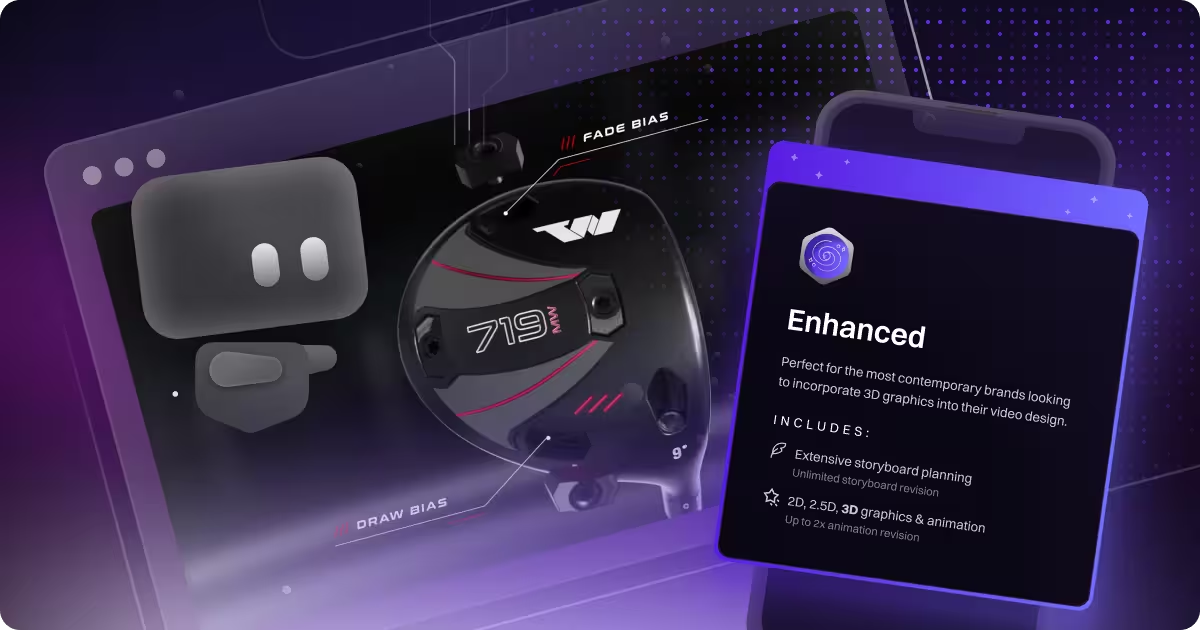
table of content
Key takeaways
- 3D animation pricing is driven by complexity, not just duration.
- Asset creation is often the biggest cost driver: 3D projects usually start with building assets from scratch or adapting existing files. When CAD files are involved, extra time is spent cleaning, optimising, and restructuring them so they work properly in a 3D animation pipeline.
- In our experience, a 60-second 3D explainer typically runs almost 2–3 times the cost of an equivalent 2D piece.
- Mid-tier 3D animation typically ranges from $5,000 to $20,000 per finished minute.
- Strong pre-production keeps costs under control: Clear scripts, storyboards, and visual direction reduce uncertainty once production starts.
3D Animation
We’ve always been open about pricing. Over time, we’ve shared cost breakdowns for different project types, compared our subscription model with fixed pricing for long-term work, and even published early content explaining what a video project typically costs when working with us. We’ve covered pricing for sizzle reels, explainer videos, training videos, and 2D animation, but the one thing we haven’t really unpacked yet is what actually goes into the cost of a 3D animation video.
We briefly touched on this in our 2D vs 3D blog, where we compared many aspects of both approaches. What we didn’t break down is why 3D animation typically costs significantly more than 2D. The reason is simple: pricing isn’t driven by video length alone. It’s driven by how much work goes into building and finishing the visuals, plus the speed and revision needs of each project. In this blog, we will talk about the cost of 3D animation and what could drive it up.
3D Animation Pricing Overview
3D animation pricing can vary widely because no two projects are built the same way. A 3D product animation can range from $1,000 to $100,000+, depending on how complex the product is, how realistic the visuals need to be, and how much work goes into the build.
For mid-tier projects, pricing is usually tied to finished runtime. A common benchmark is around $5,000 to $20,000 per finished minute for quality output. That number typically covers everything under the hood, like modeling, materials, lighting, animation, rendering, and final polish.
And honestly, this mid-tier range is where most of our 3D projects land. It’s the sweet spot for teams who want visuals that look premium and feel professional, without going fully cinematic on the budget.
The main thing to remember is that 3D pricing is not just “more seconds equals more cost.” Several 3D-specific production factors can push the price up quickly, and we’ll break those down in the next section. For example, our project with Copper.io was not the longest 3D project we have worked on, but it was still complex. There were many small details we had to pay attention to, which increased the production time and affected the overall pricing.
The 3D animation production factors that increase cost
From the get-go, producing a 3D animation is very different from producing a 2D one. Even at the pre-production and asset creation stages, 3D animation comes with extra layers of complexity that don’t exist in 2D.
Creating assets for 3D animation takes more time, specialised skills, and often additional tools or equipment, which can drive costs up quickly. In this section, we’ll walk through two examples to show what those extra costs can look like. Just keep in mind these aren’t the only factors that make 3D different from 2D. They’re simply a clear way to illustrate the kind of added production requirements that typically affect 3D budgets.
Asset creation and CAD preparation
One of the biggest production factors that drives up the cost of 3D animation is asset creation. It simply takes more time and more specialised skills to prepare everything needed for a 3D project. This becomes especially noticeable when working with tangible products, where CAD files are often involved and assets need to be built to a much higher level of technical accuracy.
We dive deeper into the technical side of 3D in our Tangible vs Intangible Products blog, where we explain why CAD-heavy projects need a bit of extra love before animation can even start. CAD files are made for manufacturing, not animation, so turning them into usable 3D assets takes time and adds complexity. And not every studio has access to CAD tools, so sometimes just preparing these assets adds to the cost. Our client Wishon is a great example of a project with a tangible product that went through this process, which is why tangible product animations often end up at the higher end of the pricing spectrum.
CAD files are super handy, but remember—they’re built for engineering. Most of the time, they need to be cleaned up, restructured, optimised, and converted before they’re ready for animation. This is a technical, sometimes slow process, usually handled by senior artists or technical directors rather than generalist animators.
And the tools themselves aren’t cheap. Industry-standard CAD software can range from $1,500 to $8,000+ per license per year, and enterprise-level tools can go over $10,000 per seat annually when you factor in add-ons and maintenance. Even if CAD is only used for asset prep, studios still need these tools to open, check, and process files properly.
Not every 3D artist can work comfortably with CAD data, and mistakes at this stage can cause issues later in animation, lighting, or rendering. All of this extra preparation adds time, technical overhead, and specialised labour before animation even begins, which is why asset creation and CAD preparation are one of the biggest cost drivers in 3D animation production.
Rendering and render farm
Rendering is where 3D cost starts to scale with computing power, not just artist time. Higher-quality visuals mean more samples, more light bounces, and heavier scenes, which quickly increases render time, especially with reflections, global illumination, or simulations.
This is also where production needs more infrastructure. A solid 3D render workstation with a high-end GPU, strong CPU, plenty of RAM, and fast storage often costs around $3,000 to $8,000+. For larger or time-sensitive projects, studios may use render farms, which are groups of computers that render frames in parallel. Cloud render farms typically charge per minute, hour, or frame, and it’s common for render costs to reach hundreds to thousands of dollars per project, especially for longer videos, higher resolutions, or tight deadlines. Failed frames still cost money, and late changes often mean paying to re-render.
Production stage cost breakdown
Pre-production
Pre-production usually takes around 10–20% of the total budget, and it’s basically where the whole project gets set up to go smoothly. This is the stage where you make the big decisions early, so you don’t end up paying for expensive changes once the 3D work is already in motion. When this part is clear, production tends to move faster with fewer revision loops.
Here’s what pre-production normally covers:
- Script or narrative structure (what you’re actually trying to say)
- Storyboards or animatics (how it plays out scene by scene)
- Visual direction and key shots (the look, pacing, and the moments that matter most)
It might not feel as “production-heavy” as modeling or rendering, but it’s one of the easiest ways to keep a 3D project efficient and on budget.
Production (Making the 3D)
This is where most of the budget usually goes, around 50–65% of the total cost. It makes sense, because this is the stage where the team is actually building the 3D world and animating it. Once production starts, you’re no longer planning. You’re creating the assets, setting the look, and making everything move.
Production typically covers:
- 3D modeling (from CAD files or built from scratch)
- Materials, textures, and lighting (so it looks right on screen)
- Rigging, if parts need to move properly
- Animation, including camera moves, transitions, exploded views, and simulations
This stage can ramp up fast because every added detail takes time. The more complex the product, the more realistic the look, and the more movement you need, the heavier production becomes.
Rendering and technical stage
Rendering isn’t really a “stage” in the same way pre-production or production is. It’s more like the bridge between production and post, where the work shifts from people to computers. This is the part where your scenes get turned into actual frames, and most of the heavy lifting happens through processing power.
Budget-wise, rendering and technical costs usually land around 10–20% of the total, but it can climb fast if the visuals are realistic or the scenes are complex. This typically covers:
- Render time and processing (local machines or cloud rendering)
- Output resolution, like HD vs 4K
- Heavy effects such as reflections, shadows, and simulations
The main thing to remember is that render cost is tied directly to compute time. If the quality bar goes up, each frame takes longer to generate, and that’s when costs start rising quickly.
Post-Production
Post-production usually sits around 5–15% of the total budget, and it’s basically where everything gets cleaned up and made launch-ready. By this point, the 3D scenes are rendered, and the focus shifts to shaping the final video so it feels polished and consistent.
This stage typically includes:
- Editing and compositing (putting all the rendered shots together smoothly)
- Color correction (making sure every scene matches)
- Sound design and music
- Final exports for each platform
It’s usually a pretty straightforward phase, but it can get heavier if changes come in late and any shots need to be re-rendered.
Motion The Agency and 3D video cost duration
The numbers below are rough averages for 3D animation pricing at a mid-tier agency level, which is typically the range SaaS companies and other tech-focused teams work within. This applies to almost every 3D animation studio. The longer the video, the longer it takes to produce, which means more time, more resources, and often more specialised skills are required.
Most of our 3D animation work falls under tech video production SaaS companies, AI platforms, and hardware brands that need their product to feel real before it's in anyone's hands. That context matters a lot when scoping cost, because the complexity of what you're visualizing drives the timeline more than video length does.
This is also the approach we use in our fixed-price model. We group everything into packages, so you can choose the type of video that fits your needs. Because of the production complexity involved, we offer 3D animation only as part of our Enhanced packages. Pricing starts at £3,900 for a 30-second video and goes up to around £5,600 for a 150-second video, depending on scope and complexity.

For teams that need ongoing creative support, we also offer a subscription model. Plans start at £2,920 per month, and you can work on any type of video project you need, including 3D animation. The minimum subscription term is three months, which gives enough time to plan, produce, and iterate properly without rushing quality.
For teams commissioning 3D at volume product lines, campaigns, training content our enterprise video production model brings costs down significantly. A subscription means your team isn't re scoping from scratch every time you need a new asset.
Other factors that push costs up or down
Even if two videos are the same length, their costs can still end up very different. That’s because a lot of smaller decisions add up during production. Some projects stay lean and efficient, while others need more time, more people, or more technical work.
A few of the main things that usually affect the price are:
- Product complexity and level of detail. More parts and finer details take longer to build and animate.
- The style you choose. A simple product showcase is very different from a cinematic, story-driven piece.
- How realistic the visuals need to be. Higher realism usually means heavier rendering and more compute time.
- The experience of the animators and the studio, as well as where the team is based.
- Revisions and turnaround time. More feedback rounds or tighter timelines naturally increase workload.
- Usage rights and delivery formats, like multiple cutdowns, aspect ratios, or platforms.
All of these factors play a role in where a 3D animation project ends up budget-wise, even when the video length looks similar on paper.
3D animation and AI
Not long ago, we had some fun experimenting with improving our 3D workflow, and we shared a deeper dive in this video:
So, is it worth the time we put in? Yes, but with a few caveats. This workflow has helped us save time and resources, which is great for keeping projects on track and helping our clients stick to their budgets. By speeding up parts of the modeling, texturing, and rigging process — and even cutting down render times — we can focus more on the storytelling and creative details that make a 3D animation really pop.
That said, it’s not perfect. On very detailed projects, we’ve seen minor inconsistencies and occasional distortions, so a human touch is still key. Plus, the AI tools we use come with subscription costs. So while it doesn’t slash budgets massively, it does make production smoother, faster, and more focused on creativity. It’s a handy tool in our toolkit, helping us spend less time on repetitive tasks and more time on what really matters — crafting engaging, memorable animations.
Why 3D animation costs more (and when it's worth it)
So when people ask why 3D animation costs more, it really comes down to one thing. There’s just more going on behind the scenes. More planning, more technical prep, more specialist skills, and more computing power needed to get the visuals over the line. You’re not paying for seconds on a timeline. You’re paying for everything that needs to be built, refined, and processed to make those seconds look right.
That’s also why understanding the cost structure matters. Once you know where the budget actually goes, it becomes much easier to decide whether 3D is the right approach for your project, or if something simpler would get you there faster. For many product teams and SaaS companies, 3D earns its place by making complex products easier to explain and far more engaging to watch.
If you’re exploring 3D animation now or just want a reference point for future projects, you can also check out our 3D animation service page. It breaks down how we approach 3D work, what types of projects it fits best, and what to expect before you kick things off. You can also request a free custom video sample to see how we might approach your project before committing. It’s a good place to start if you’re still weighing your options or planning ahead.
FAQ

Syarafina Kuswahyuni
Syarafina Kuswahyuni is a content marketer at Motion The Agency, where she covers explainer video production, motion design trends, and video marketing strategy for SaaS brands. She has worked alongside Motion's animation team on projects for clients including ClickUp, Apollo.io, and HackerRank

In just a few questions, get a tailored estimate for your next video project.


Contact Us
Ready to elevate your brand? Contact us for your
Free Custom Video Sample